跳转到主内容

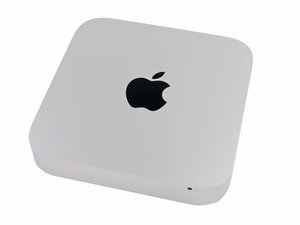
于 2014 年 10 月 16 日发布,型号为 A1347 和 EMC 2840。

Mac mini Late 2014 HDD Replacement

Hello all,

I’ve followed Sam’s amazing step-by-step on replacing the HDD on the late 2014 Mac Mini. I feel like I got every step correctly, unfortunately the system doesn’t boot at all. No power light, and the fan doesn’t even turn on.

Any ideas on where to begin to troubleshoot this?

I’m at beginner level when it comes to Mac hardware. Also any guides online that might help solve or begin to troubleshoot in the right direction would be appreciated.

Thanks!

回答此问题 我也有这个问题

这是一个好问题吗?

得分 0
4条评论

Did you put in a 2.5" SATA drive or a PCIe blade drive?

完成的

2.5" SATA Drive

完成的

Why not start by checking that the power supply cable to the logic board is inserted all the way in.

完成的

I've double checked that connection.

完成的

添加一条评论

1个答案

最有帮助的答案

A common issue is the ribbon cable getting damaged as its a tight fit.

这个答案有帮助吗?

得分 1

3条评论:

Dan I've double checked the ribbon cable ensuring that it's not damaged and secured properly. Also, do you know if the hard drive is not plugged in would the Mac at least turn on? I'm suspecting a power supply could be at fault here, but have no idea on how to test it.

完成的

The system should start up without the drive, you'll get a folder icon with a blinking question mark on the screen as you won't have a the systems files available.

Look at the logic board for damage and make sure the power supply connector got inserted fully.

完成的

Any recommendations on how to test the logic board and also testing the power supply? I'm pretty sure the power supply is seated properly in the back but can't be certain. The screw for the power supply aligns properly so I assume it is fitted in properly. Thanks for your continued help.

完成的

添加一条评论

添加你的答案

mp me 将永远感激不已
浏览统计数据:

过去 24 小时: 0

过去 7 天: 2

过去 30 天: 11

总计 326