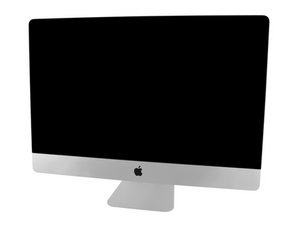

 1
1 Display Issues after PSU replacement
Hello everyone,
This is my first post to an Apple forum but I'm experienced computer technician.
I recently replaced the power supply unit on a family member's iMac. Prior to the replacement, There was no response from the iMac and with the power cable plugged in, there were no LED's on the logic board.
After replacing the PSU, I was only getting 2 of the 4 Diag LED's on the board. At this point I found a YouTube contributor who had success by replacing the PRAM battery, which I did as well with success. After replacing the PRAM battery, I now get 3 of the 4 Diag LED's to show up.
However, I cannot get the display to work. The screen doesn't flash. It doesn't work intermittently. It's just completely dead.
The Fans in the computer also run really loud. They will start quietly and then gradually ramp up to a high speed. I found a couple posts online about it being a possible HD failure. This morning I removed the drive and connected it to my laptop and am able to read all the data on it without issue.
Other than the fan issue and the display issue, the iMac appears to be powering on fine.
Steps Taken:
- Replaced PSU - Success
- Replaced PRAM battery - Success
- Removed each RAM module one by one - No change
- Validated Hard Drive - Data good
Thank you for any assistance
Also, I inflicted a small crack when removing the screen. There is another crack on the other side that is roughly the same size that has been there for some time without affecting the display.



 339
339  975
975 
3条评论
Did you follow the iFixit guide to take the display off and use the special pizza cutter tool? iMac Intel 27寸 EMC 2546显示屏替换
由 DanJ 完成的
Hello Dan. Yes I used the tool. I did, unfortunately, inflict a small crack during the process but I doubt that's the issue since there was already a small crack on the other edge of the display which never caused an issue.
由 Gene7842 完成的
Can you post some pics of the damage? 在已经存在的问题里加入图片
由 DanJ 完成的