
跳转到主内容
加入维修社区 - 创建账户

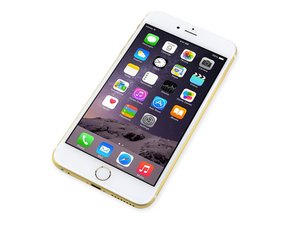
2014年9月19日发布的iphone 6 Plus有着比iphone 6大的5.5英寸屏幕。

No Audio after Repair

I recently replaced the audio jack/power cable dock, home button and battery on my iPhone 6 Plus, but have lost all audio after completing the repair.

I accidentally cut part of the power flex cable at the top of the battery bay which has stopped the power button from working and am wondering if this could be responsible for the complete loss of audio as well.

My microphone, silent rocker and volume control buttons all work fine, there just isn’t any audio from the speaker, in-ear speaker or through the audio jack.

Wanting to know if I replace the power flex cable if it is likely to fix my audio issue.

Any help would be greatly appreciated.

回答此问题 我也有这个问题

这是一个好问题吗?

得分 0
添加一条评论

1个答案

最有帮助的答案

Try adjusting the volume and see if it shows headphones instead of ringer on the onscreen message.

If it says headphones with no headphones installed the charging port assembly that has the headphone jack faulty.

这个答案有帮助吗?

得分 2

5条评论:

It's actually doing the opposite, won't recognise any earphones if plugged in, just displays regular Volume/Ringer. It will play audio through Bluetooth devices if that means anything.

完成的

That is very strange. Try unplugging the charging port assembly and then turn the phone on again and do a call test. See if you can hear the dial tone after making a call on the earpiece speaker.

If it works there then I suspect faulty assembly as said above.

完成的

Thanks for the help, will give it a shot tomorrow!

完成的

So it turns out the earpiece was working anyway, just quiet due to the age of the phone.

Would you recommend swapping out the bottom assembly then? just seems odd that the audio jack and speaker would not work when the charging port and microphone do.

Thanks again for the help.

完成的

Yeah sounds like the charging port assembly is defective and needs to be replaced, this is assuming it worked before repair.

Earpiece being quiet that should be easily fixed with cleaning the little black filter at the top with cotton buds / fine bristle brush might take a minute or two of cleaning to get it clear again.

Most of the time it can be cleaned without opening the phone, worst case you'll need to remove earpiece speaker, shine a flashlight through the filter from the front of the screen and clean carefully accordingly until you see some clear dots of light going through.

完成的

添加一条评论

添加你的答案

Alex 将永远感激不已
浏览统计数据:

过去 24 小时: 1

过去 7 天: 5

过去 30 天: 16

总计 157