
跳转到主内容

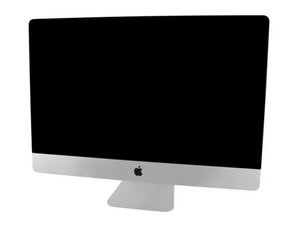
Model A1419 / Late 2013 / 3.2 & 3.4 GHz Core i5 or 3.5 GHz Core i7 Processor, ID iMac14,2

Unit keeps rebooting and can't do a restore

I got a circle with a line through it, and the unit won’t power up. It will keep rebooting. I tried repairing the HHD with the startup utility and I also tried reinstalling the OS but it keeps telling me there is a hardware problem and keeps rebooting. I wanted to try to get some insight before I try to bring it to a repair tech.

回答此问题 我也有这个问题

这是一个好问题吗?

得分 0
添加一条评论

1个答案

Here's a useful Apple T/N which explains the startup screens you can encounter: About the screens on your Mac as it starts up

In your case, ‘circle with a line through it’ is called the Prohibitory symbol. For some reason the macOS which your drive has on it is not the correct version for your system. The system was introduced with last version of OS-X Mountain Lion 10.8.4 (12E4022). Earlier versions of Mountain Lion 10.8.’’’3’’’ won’t work, or anything older.

The very latest macOS versions macOS Mojave (10.14) and the current version of macOS Catalina (10.15) are fully supported.

You also talk about having a hardware problem can you tell us what it told you. You may need to wipe the drive fully using an external bootable OS installer USB Thumb drive. But be fore we go down that path I really need to know what is the macOS version you wish to install.

这个答案有帮助吗?

得分 0
添加一条评论

添加你的答案

drheidke 将永远感激不已
浏览统计数据:

过去 24 小时: 1

过去 7 天: 1

过去 30 天: 1

总计 61