
跳转到主内容

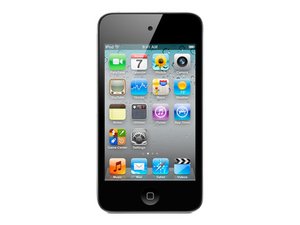
型号A1367,闪存容量:8、16、32及64GB

No wifi access after replacing LCD and digitizer. Please help

I just finished replacing the LCD and digitizer of my ipod touch 4g. The screen is working and everything seems to be fine but when I try to connect to the wifi it finds no signal. Where is the antenna for picking up wifi and could I maybe have disconnected or damaged it?

已回答! 显示答案 我也有这个问题

这是一个好问题吗?

得分 0
1条评论

Thank you very much for the help! My ipod is again wifi enabled, great tip.

完成的

添加一条评论

1个答案

已选择的解决方案

Hey there, first congrats on successfully making your repair. It can be tricky.

The wifi antenna is in the top left corner of the touch. Its a goldish ribbon cable that kind of looks like a boomerang. It's glued to a piece of foam on the logic board and often sticks to the back of the digitizer when its removed.

It travels toward the left side and then turns and goes down behind the logic board just above the volume controls where it snaps on to a coupler/stud/receiver.

Be very careful not to tear the volume ribbon cable when prying up the logic board to snap it back on if that's the problem.

As with many things in the Ipod repair game, you kind of need to be an octopus to snap it back on without removing the logic board. Have an extra set of hands help if available.

Good luck.

这个答案有帮助吗?

得分 2

1条评论:

Sure thing fredandr. iFixit should have a special badge for anyone who has done a succesful Touch 4g. repair :-) Seems you have done this before. We all know how easy it is to damage that volume ribbon. I never thought I would do damage to the wifi ribbon but the other day was too fast with my razor removing all the glass so I slit the ribbon and am waiting for a new one. You use 80% of this repair removing glass!

完成的

添加一条评论

添加你的答案

scottkuckler 将永远感激不已
浏览统计数据:

过去 24 小时: 0

过去 7 天: 1

过去 30 天: 4

总计 3,261