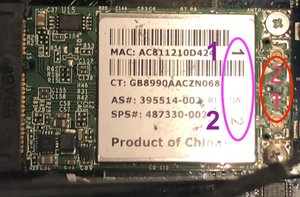
OK, Your system originally came with a 802.11g board. This board used two antennas which are matched. The cables may have markings either a line (1 line & 2 lines) or a strapped label so marked 1 or 2.
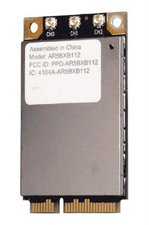
Some people upgraded their boards to the 802.11n which uses three cables as the 3rd cable is for the 5 GHz connections. You also needed to add the 5GHz antenna unit.
People even upgraded their boards to 802.11ac phase1 using a third party solution
This board also offered Bluetooth which is what the fourth connection is for. This board is not MIMO capable which is part of phase 2 rollout.
Your Bluetooth board is independent and only uses one cable connection. The length of the cable is longer to make its way to the mount point the BT board is located. The original cable harness has it marked with either three lines or an attached label with the BT.
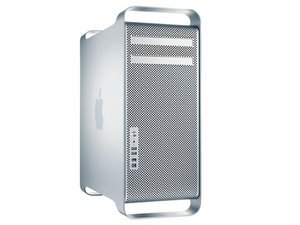
Apple stuck with the same chassis for quite a few years starting with the G5 Power Mac from Mid 2003 to the Mac Pro in 2012. During that time WiFi and Bluetooth went over some changes.
The antenna unit in the Early Mac Pro will have 1, 2, BT (3) or if its a newer antenna unit is will have 1, 2, 3 & BT (4).
The third or forth wire will be the Bluetooth line in all cases! Its that simple.
Technically, the 1 and 2 antennas are exactly the same, both are designed for 4.2 GHz signaling and could be swapped between the locations. I still prefer placing them on correctly as marked.
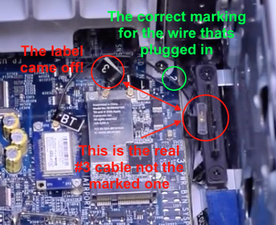
As for the second video its in error! Watch it again, stop it at the time point 0:51 now zoom in onto the black frame screw there you'll find the number 2 tag now very carefully follow the cable to the board but wait! The number 3 tag is on the same wire! It was put on by mistake! As its half on, unlike the number 2 tag which is firmly attached. So there is no confusion here the video is in error!
As for your image error, I’ve circled the mis-markings in Red and the Purple are the correct markings:
Maybe you need to upgrade your WiFi board to the newer 802.11n version which has three cables so you have the correct board for your given system as you appear to have a newer 2012 antenna board.




 35
35  338
338  974
974 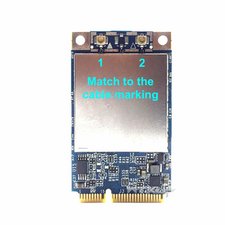

3条评论
What is the adapters you are working with?
Different adapters do have different antenna configurations! Take a picture of the adapter/s and post them here for us to see 在已经存在的问题里加入图片
由 DanJ 完成的
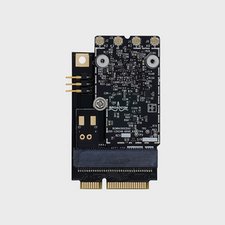
@svenisak - I was hoping you could give us a full adapter view (showing the antennas pads) That way I could make sure what I've got notes on line up with what you have. Can we try again. Only the WiFi board is needed.
由 DanJ 完成的
Not sure why you mis marked the board the original label is correct.
由 DanJ 完成的