
跳转到主内容

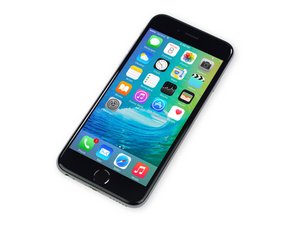
苹果官方于2015年9月25日正式发售iPhone6S A1688/A1633机型。 此机型的修理方式与先前几代差不多, 需要螺丝起子及撬棍工具。 同时也适用GSM or CDMA/16, 64 or 128 GB/ 银色, 金色, 深空灰色, 玫瑰金色等机型。

LCD goes black when clicking in the lcd

Hello! :)

I am working on a iphone 6s. I have an issue when installing the LCD. When i install it and put on the plates the screen still works. But when i click in the screen it stops working. So the screen only works when loose in the frame and not mounted correctly. When i pop off the screen it still does not fire up again

I have tried the following

  • pressing the powerbutton and home button at the same time.
  • Disconnecting the battery and reconnecting ( atleast making the LCD work again)
  • Using another original LCD (still not working).
  • Reapplying the connectors for both LCD and battery
  • Tried without plates over both battery and LCD connectors
  • tried without backplate.

The LCD will only work when not mounted all the way in the phone, and work without issues untill i install it completly.

Does anyone have experienced the same issue or have any idea how to solve it?

Update (05/10/2019)


The issue is fixed. The grey/silver notch on the LCD flex cable made contact with the ear piece mounting bracket. I made some spacing between these two and now it is working perfectly! :D

Block Image
已回答! 显示答案 我也有这个问题

这是一个好问题吗?

得分 0
1条评论

I cant seem to find Any spots that is not alreaddy covered

完成的

添加一条评论

3个答案

已选择的解决方案

The issue is fixed. The grey/silver notch on the LCD flex cable made contact with the ear piece mounting bracket. I made some spacing between these two and now it is working perfectly! :D

这个答案有帮助吗?

得分 0
添加一条评论
最有帮助的答案

Check for any exposed solder contacts on the back of the screen. These may be hitting a metal bracket and shorting out the back light when closing the device or pressing down on the screen. Cover these contacts.

这个答案有帮助吗?

得分 1

1条评论:

I cant seem to find Any solder spots that is not covered

完成的

添加一条评论

Fit the screen like normal with the screen lit up and working and then when it goes off shine a light on it from a torch or something or press the home and power button to restart and see if u can faintly see the apple logo…

You may have knocked a filter or other ic for backlight that when u add extra pressure on the flex it pushes it out of place.

Also check u have the little tape over the solder points for the backlight on the screen and make sure that's not making contact with the shield or anything else.

这个答案有帮助吗?

得分 1

5条评论:

I can see the Apple logo with the torch. What can i do to solve this? It is both brand New original lcd that have this issue

完成的

As u said it's doing it with the original LCD as well etc so it would most likely need someone with experience with microsoldering, check the filters etc need a microscope or equivalent to check... see if u can take a picture of the board by the connectors and spot any components shining through the black glue :) disconnect the back camera

完成的

Well done :)

完成的

I know uve fixed it but check where ur scalpel is in the picture next to that are the solder points for the backlight circuit their normally covered by a black tape make sure that is there and in position and not allowing the shield or anything else to touch it that will cause backlight issues and will eventually blow the backlight

完成的

This is a spare screen with the plastic removed. I have mounted it back on it and on the installed screen in the phone. But thank you for the heads up! :D

完成的

添加一条评论

添加你的答案

Thomas 将永远感激不已
浏览统计数据:

过去 24 小时: 0

过去 7 天: 1

过去 30 天: 11

总计 89