
跳转到主内容
加入维修社区 - 创建账户

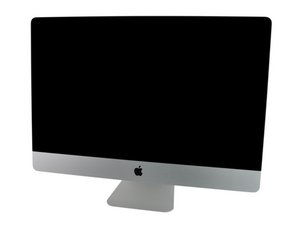
iMac Intel 27" EMC 2309 (Late 2009, Core 2 Duo 3.06 or 3.33 GHz) ID iMac10,1, EMC 2374 (Late 2009, Core i5 2.66 GHz or Core i7 2.8 GHz) ID iMac11,1

Random Black Screen - Backlight Shut Off - Solved!

Answering my own question here simply to provide a solution that I have not seen listed anywhere else before!

Imac 27" 2009 & 24” Cinema Display - Random Black Screen - Solution

iMac 2009 27", computer works fine however at random points the screen will go black. Checking the screen with a torch I can see the LCD is still on and working as it shows my desktop.

I have hot corners with display sleep turned on so if I move the mouse to the corner the display (while already black) properly sleeps, moving the mouse a second later causes the screen to come back on again fully lit.

The time between black screens can be totally random. Sometimes it works for weeks with no problem. Sometimes the black screens return within minutes or even seconds. This happens with the screen being used both directly and in Target Display Mode.

Troubleshooting:

  • Reset PRAM / NVRAM
  • Reinstall OS - same problem on Sierra, High Sierra and Mojave
  • Running the fans at higher speeds
  • Open the iMac and clear out any dust
  • Reseat all internal cables

None of these fixed the issue. Sometimes they would appear to resolve it but the problem always came back.

Update (08/23/2019)

Updated as for some reason this gets rejected when trying to add a comment:

Here are the parts to fix the problem…

Cinema Display replacement part was "LED Backlight Lamp strip 60leds for 24" Cinema Display A1267 MB382LL"

2009 iMac was replacement part "310mm LED Backlight Lamp strip bar 36leds For Apple 27" LCD LM270WQ1 SD C2 M270WQ1 SDA2 SDB1 SDE3 SDE5 SDF1 LGT2781 LGT22795"

已回答! 显示答案 我也有这个问题

这是一个好问题吗?

得分 1
添加一条评论

1个答案

已选择的解决方案

Solution:

I finally found a post online where someone was saying that they suspected that it could be caused by a bad LED(s) on the LED strips inside the LCD panel itself and that they had success by replacing individual LEDs on the strip.

I decided to take an easier route and looked up the model number of the LCD panel on Aliexpress and found sellers offering full replacement LED strips for $20. I purchased the strips - they come as a pair of 2 that sit along the bottom of the display.

Fitting is straightforward albeit somewhat daunting. The LCD panel assembly needs to be completely dismantled in several stages by removing screws around the bezel, slitting the sliver sealing tape and then easing the surround off by prying the display out of the plastic surround.

Once removed you can then get at the area the holds the LED strips, they are held in with screws and adhesive tape. Simply replace with the LED strips you purchased online and then carefully put the display back together taking care to avoid dust getting in between the various plastic sheets that sit below the LCD panel.

The whole exercise takes about 2 hours in total. It is NOT difficult provided you go SLOW - however it does look terrifying when you have the entire panel lying in pieces on your workbench. It requires bravery rather than technical ability.

For what it is worth I also have an Apple Cinema Display 24” that had exactly the same issue and the above process fixed that as well.

I have had no more black screens on either display.

这个答案有帮助吗?

得分 0

4条评论:

@horatio20 - Answers is really for someone with a problem needing help.

Your efforts here are appreciated !! But, you need to make a guide! Follow this Contribute! That way it doesn’t get lost in the sea of questions!

完成的

Hello !

What the model number of the LCD panel please ?

I have 2 displays with these problem

Thank you !

完成的

Can’t find the 60led strips for the Cinema Display, do you have the link or where you got them from please?

完成的

@Danual Ansell - I sourced mine from aliexpress.com, from their condition they looked like they were refurbished rather than new. I don't notice any on there right now but I would keep an eye out for them popping back up.

完成的

添加一条评论

添加你的答案

Horatio20 将永远感激不已
浏览统计数据:

过去 24 小时: 2

过去 7 天: 8

过去 30 天: 13

总计 526