
跳转到主内容

Model A1286. Released February 2011 / 2.0, 2.2, or 2.3 GHz Quad-core Intel Core i7 Processor

What causes vertical (blinking) lines on screen: GPU or display issue?

Hi,

My MacBook Pro all of a sudden started to have one vertical line (blue). Over time (weeks) more lines appeared, some static, some blinking. Now I am wondering: what is the cause of this? Is it a GPU issue, or is something broken in the display? If it is a GPU issue, I can replace it (at my work we have a soldering station to do these kind of things), if it is a display issue, I might get a replacement here from iFixit.

What can I do to determine what the problem is?

Thanks in advance.

Kind regards,

Sjoerd

已回答! 显示答案 我也有这个问题

这是一个好问题吗?

得分 0
添加一条评论

1个答案

已选择的解决方案

Your problem is a damaged display.

Basically, there is a row and a column signal (X-Y) to enable the pixels at the intersection. In your case the vertical column line has been broken.

What likely happened is you banged the lid or something heavy dropped on the closed display lid.

Here’s the needed part MacBook Pro 15" Unibody (Early 2011-Late 2011) Display Assembly and here’s the guide to follow MacBook Pro 15" Unibody Early 2011 Display Replacement

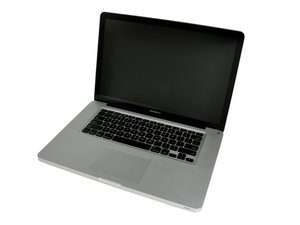
Replace a display compatible with the MacBook Pro 15" Unibody early 2011 to late 2011 A1286 model laptop. Includes the LCD screen, display cover, bezel, FaceTime HD camera, clutch hinges, Wi-Fi antenna, camera, and display data cables.图片

产品

MacBook Pro 15" Unibody (Early 2011-Late 2011) Display Assembly

$149.99

这个答案有帮助吗?

得分 1

2条评论:

Thank you for your quick response Dan. Unfortunately what I feared...

完成的

Sorry for the bad news, still a great system even using an external monitor.

完成的

添加一条评论

添加你的答案

Sjoerd Herder 将永远感激不已
浏览统计数据:

过去 24 小时: 0

过去 7 天: 0

过去 30 天: 2

总计 95