跳转到主内容

Keyboard backlight working dimly even when on full brightness

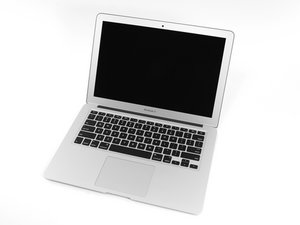
My MacBook Air’s keyboard backlight has been working really dim even when I’ve put it on maximum brightness. I’ve tried to lower surrounding brightness and even checked the settings but it’s still not bright enough to type in dark. I’ve tried resetting Mac but it didn’t do anything. I’ve never dropped my MacBook or hit it with anything that might damage the keyboard. Anyone with any suggestions apart from showing it to the Apple center?

回答此问题 我也有这个问题

这是一个好问题吗?

得分 0
添加一条评论

1个答案

最有帮助的答案

Did you have a liquid spill at some point? It sounds like some of the blacklight LED’s are not lit.

The only way to fix this is to pull the logic board out and then carefully lift the black plastic shield over the keyboard, then the backlight panel. You might be able to clean it and hopefully touch up the solder joints to bring it back to life. If not you’ll need to replace the assembly.

Reference: MacBook Air 13" Early 2015 Logic Board Replacement

You might want to think this through… It might not be worth the effort. Here’s the IFIXIT guide to replace the full uppercase; MacBook Air 13" Early 2015 Upper Case Replacement

MacBook Air 13" Early 2015 Logic Board图片

指南

MacBook Air 13" Early 2015 Logic Board Replacement

难度:

中等

1 - 2 hours

MacBook Air 13" Early 2015 Upper Case图片

指南

MacBook Air 13" Early 2015 Upper Case Replacement

难度:

困难

1 - 2 hours

这个答案有帮助吗?

得分 3
添加一条评论

添加你的答案

Nightshade 将永远感激不已
浏览统计数据:

过去 24 小时: 0

过去 7 天: 2

过去 30 天: 10

总计 160