
跳转到主内容
加入维修社区 - 创建账户

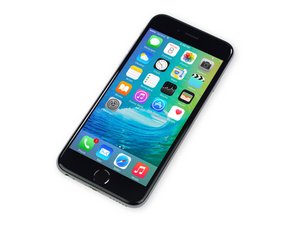
苹果官方于2015年9月25日正式发售iPhone6S A1688/A1633机型。 此机型的修理方式与先前几代差不多, 需要螺丝起子及撬棍工具。 同时也适用GSM or CDMA/16, 64 or 128 GB/ 银色, 金色, 深空灰色, 玫瑰金色等机型。

Not getting cellular service

I recently switched to Verizon and my iPhone 6s is giving me trouble. So far I did everything technical support had me do (power cycle, reset all network settings, remove and replace SIM card etc). When the phone powers on, it says Verizon in the top left corner along with 1 service bar and LTE. After about 30 seconds it says no service. It seems to me that it could be a bad cellular antenna. Any thoughts?

回答此问题 我也有这个问题

这是一个好问题吗?

得分 0
添加一条评论

2个答案

最有帮助的答案

Try resetting iOS network settings.

Turn the iPhone off and back on again. This can often resolve cellular data failures and it’s pretty simple:

  1. Open the Settings app and go to ‘General’ followed by ‘Reset’
  2. Tap on “Reset Network Settings” and enter the passcode to confirm you wish to reset and clear out all network settings on the device – this will ditch wi-fi networks so be prepared to enter wireless network passwords again
  3. Exit out of Settings and go back to the Home Screen
  4. Now hold down the Power button and turn the iPhone or iPad off
  5. Wait about 10 seconds and hold the Power button again to turn the device back on

When the device boots back up, try to use an app with cellular data again. It should be working at this point.

这个答案有帮助吗?

得分 1

2条评论:

Unfortunately this did not work. I’ve tried everything Apple and Verizon has suggested. I’m really thinking it’s a hardware issue at this point. The phone is for one of my kids and she has had it for a couple years as just an iPod. The screen has a few cracks so who knows if she dropped it and messed it up. I did take it apart and made sure all the connections and screws were tight.

完成的

thanks so much man this worked for me, a user from google.

完成的

添加一条评论

First question, apple tech support or verizon?

The reason I ask is because I had this problem before, that my sim card never got activated, and i spent a couple days trying to fix it.

I'm assuming you have conducted all updates on phone?

If not try, while on wifi, go to Settings>General>Software Update. If nothing go to Settings>General>About and see if your carrier settings are updated (stay in section for 10-15 seconds, as I've seen a pop up window asking to update)

Lastly i cant remember which iphone had this option but if you go into Settings>Cellular you can turn off/on cellular data as a start but in Carrier Settings you can turn off auto carrier selection and choose verizon as your carrier. I hope it helps.

这个答案有帮助吗?

得分 0
添加一条评论

添加你的答案

Victor Griseto 将永远感激不已
浏览统计数据:

过去 24 小时: 0

过去 7 天: 0

过去 30 天: 5

总计 119
