
跳转到主内容
加入维修社区 - 创建账户

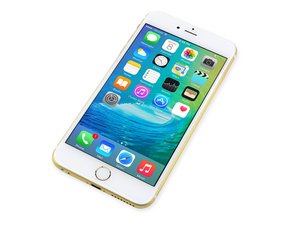
iPhone 6s Plus 发布于2015年9月25日,有两个型号A1687、A1634,网络制式有GSM、WCDMA,存储容量有16GB、64GB、128GB可选,机身颜色有银色、金色、深空灰、玫瑰金。维修iPhone 6s Plus和前代产品相似,需要螺丝刀和撬棒等。

How do I disable WiFi hardware?

I work in a phone and tablet repair shop, and a guy wants all of the Wi-Fi capabilities disabled on the hardware level on his iPhone 6S plus, I have unplugged and removed every antenna except for the cellular antenna connected to the charging port. But for some reason it’s still picks up 5 GHz networks, it doesn’t pick up to 2.4 GHz, only the 5 GHz, not sure how it’s picking up the connection… can anyone point me in the right direction?

已回答! 显示答案 我也有这个问题

这是一个好问题吗?

得分 0
添加一条评论

1个答案

已选择的解决方案

Disabling the antenna’s won’t do it. Keep in mind the higher the frequency the shorter the wave form which then translates to the needed antenna size here’s a good reference The Fundamentals of Wi-Fi Antennas. Here we are using 1/2, 1/4 or 1/8th of the wavelength for the antenna. So the exposed end of the antenna line will still be able to transmit or receive a signal (granted not very far).

So the basics question is is it possible to physically disable the WiFi? Not without altering the modem circuits them selves which is not really possible without damaging the iPhone.

Instead use How to use parental controls on your iPhone or iPad. I think that will work and you won’t harm your iPhone. Do keep in mind you’ll need to make an effort to connect to a WiFin network to download any updates.

这个答案有帮助吗?

得分 2
添加一条评论

添加你的答案

Jonathan Green 将永远感激不已
浏览统计数据:

过去 24 小时: 0

过去 7 天: 1

过去 30 天: 4

总计 718