
跳转到主内容

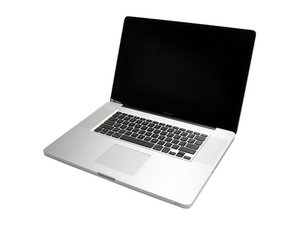
Model A1297 Unibody: Early 2009, Mid 2009, Mid 2010, Early 2011 & Late 2011

Disk Utility doesn't allow me to erase/reformat my hard drive disk

Hello!

I am running Macbook Pro (Late 2011) on Sierra osX.

First I repartitioned my HD into single partition(I had Bootcamp). After that I went to encrypt my HD using FileVault and it got stuck for days at around 60%. I think the problem might be something with repartitioning the HD but I see others have problem with encryption as well.

I decided to reformat my HD to make a clean install(I have backed up the system with Time machine) after Disk Utility have failed to repair the disk.

Now I can not even reformat the HD using Disk Utility from CMD+R mode.

In Disk Utilty I see under Internal “Apple HDD HTS547575A9E384 Media” under which is greyed out my “Macintosh HD”. on Disk Images I see “Apple disk Image Media” which is 2.01 GB and has under it “OS X Base System”(1.29 GB) with option to eject which does not work. I tried to repair or erase “Apple HDD HTS547575A9E384 Media” but it does not work. When erasing it says “Erase process has failed” with details saying “Couldn’t unmount disk - Operation failed”.

What should I do?

Either make the encryption in FileVault to continue the progress which didn’t work after reading about it and trying things… or to erase the HD and start a new install from my Time Machine backup. Any help is most welcome!

已回答! 显示答案 我也有这个问题

这是一个好问题吗?

得分 0
添加一条评论

1个答案

已选择的解决方案

Think of it this way your shoes heel broke off and your stop by a shoe cobbler how is he going to fix your shoe? You need to take it off right! Thats the same here if you want to reformat the drive you need to boot up under a different drive to release the drive from the OS.

So you’ll need to make an external bootable drive and besides that you’ll want to put on it the OS installer so you can appear a fresh copy from it.

Here’s how to do this: How to create a bootable macOS Sierra installer drive

I do recommend you stick with Sierra Vs any of the newer MacOS’s. High Sierra intro’ed APFS which only works on SSD’s but using it within a SATA based system is not that great. Mojave requires Metal2 graphics services which your system does not have. And off you have the older models it will have limited RAM so that also comes to play.

Once you’ve created your boot drive you’ll need to reboot under it. In the menu you’ll find access to Disk Utility to prep your drive and then re-install your OS.

这个答案有帮助吗?

得分 2

4条评论:

Thanks for your answer.

Here is another problem. My Macbook is pretty much useless since I have FileVault encryption running in the background and there is no way to stop it. The computer runs fine for couple of minutes and after that everything freezes. I tried in Safe mode but with same results. So basically I can’t download the os Sierra or make bootable USB drive.

Is there a way to do the above things on Windows PC? This is only running computer in the house :/

完成的

Okay I think I will manage to create the USB bootable installation... after all that is done would you recommend me to encrypt the HD again or NO? I mean it is really important to encrypt the files for me.

完成的

I wouldn't - If you have such valuable info put in on an external drive and encrypt it.

完成的

Thank you very much!!! I will do as you suggested! Peace

完成的

添加一条评论

添加你的答案

Mislav 将永远感激不已
浏览统计数据:

过去 24 小时: 0

过去 7 天: 5

过去 30 天: 14

总计 20,501