跳转到主内容
加入维修社区 - 创建账户

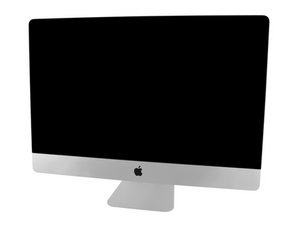
型号:A1419/ 2012/2.9 & 3.2 GHz Core i5 or 3.4 GHz Core i7 专业版

Doesn't Power up after replacing HDD and SSD

I followed the guide to replace the failed (according to SMART) SSD and failed (according to completely not working anymore) HHD. System worked fine before the start of surgery using an external drive.

Everything seemed to go well, but once back together (except not gluing the screen back on), nothing happens when I hit the power button. The first green LED on the logic board comes on when power is connected, but nothing else happens.

I removed and reconnected all the power supply connectors, with no change. Guess I’ll try a complete strip down and rebuild next, unless someone can give some diagnostic tips. Are there places to measure voltage? Any bad connections or reversed connectors that would prevent booting? If I broke the wire in the power button, could I fake a push by shorting across the switch input?

回答此问题 我也有这个问题

这是一个好问题吗?

得分 0
3条评论

What was the blade SSD you installed as well as the HDD as you might have a compatibility issue.

完成的

I put in two Samsung 860 EVO SSDs, both 500GB. I used a card I found on eBay that extends the SSD connector into a normal SATA cable (SATA Blade SSD Module - Dual SSD Drive Kit for iMac 27 Inch 2012 Model), and bought an Otherworld Computing drive update kit with the thermal sensor to replace the normal HDD.

But the system should power up and chime, even with no drive connected. I may try with all the power cables disconnected, in case I have a short somewhere.

完成的

Samsung's 860 EVO web page: 860 EVO drive specs

完成的

添加一条评论

2个答案

最有帮助的答案

Bryan, Sadly you can’t use the Samsung blade SSD’s in your system (M.2) you need to use a proper 2.5” SATA drive for the HDD SATA port and if you want to use the blade SSD connector on the backside of the logic board you’ll need either a real Apple blade SSD or OWC’s custom SSD for Apple systems. Apple uses a custom connector and the dialog it supports must be AHCI via SATA.

Here’s good reference to see the different interfaces

Block Image

The Red pathway is whats required in both drives

这个答案有帮助吗?

得分 2

2条评论:

I wasn’t attempting to use a blade SSD, just the 2.5” SATA Samsung 860 EVO that Dan provided a link to. The SSD in my iMac is electronically SATA, just in a custom connector. I bought a converter that fits in Apple’s slot and lets me connect a SATA cable. So the two 2.5” SSD are in dual-drive holder in the 3.5” HDD spot.

完成的

OK, lets isolate the blade interface as I do question this adapter. I would remove it and see what happens when you just have the HD bay SSD present. Does the system get to the Apple logo (as you still haven't installed an OS on it).

完成的

添加一条评论

If you have a LED alight, then the board has power. The bootstrap procedure will be looking where? if you have cleared the firmware by removing the ssd then it will be hanging. Try asking on one of the IMac tech forums. I don’t know, but can you boot an iMac from USB or external device? That would be my next step. If you can get ‘something’ to boot up then you can probably re-install the OS.

Or maybe none of this is applicable, for I’m not familiar with iMac.

这个答案有帮助吗?

得分 0

1条评论:

The firmware (EFI) is within the system not on the drive so I don't understand what you are talking about here. All PC's as well as Mac's included are able to boot up under an external drive but that still doesn't deal with the issue at hand.

There's enough clues here to realize the issue is either a bad/incorrect drive or the systems logic board is having problems.

完成的

添加一条评论

添加你的答案

Bryan Walls 将永远感激不已
浏览统计数据:

过去 24 小时: 0

过去 7 天: 2

过去 30 天: 12

总计 193