
跳转到主内容

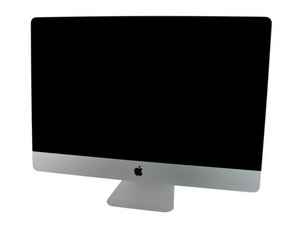
Model A1312 / Mid 2011 / 2.7 & 3.1 GHz Core i5 or 3.4 GHz Core i7 Processor, ID iMac12,2

Built-in LCD display not working

Hi,

iMac Mid-2011. The iMac starts up but the screen remains black. The iMac works fine when using a connected Monitor. (Graphics Card OK).

I have replaced the Internal Video Cable but still no screen. I have replaced the Backlight Board but still no screen (no faint screen when I shine a bright light).

I was lucky enough to have another identical iMac and swapped the LCD panels over (including Video Cable) and the problem iMac still didn’t work (and its LCD worked fine on the other iMac).

I fitted a replacement logic board and still the same. LEDs 1,2 & 3 come on but not 4. I have inspected all cables and can’t see any damage.

Can anyone think of anything else to try? or experienced this before? Could it still be a graphics card problem even though an external monitor works fine?

thanks in advance!

Simon

回答此问题 我也有这个问题

这是一个好问题吗?

得分 0
添加一条评论

1个答案

最有帮助的答案

The same GPU output drives both the internal and external displays so if the external is working we know the GPU card is good.

Are you sure you don’t see the faint image of the desktop and its icons. You often need to hold the flashlight against the screen as a sharp angle not directly into the display. IF you are sure then you have a bad LVDS cable or the connector on the logic board is damaged (a common issue in this series when you yank on the cable or don’t insert it in correctly). Sometimes people put the cable in backwards which can damage some of the logic board components.

这个答案有帮助吗?

得分 1

2条评论:

Thanks Dan, that was my initial thoughts. I replaced the LVDS cable and the problem remained. I tried the LCD (with LVDS cable attached) on another identical Mac and it worked fine (and the LCD from the identical Mac on the problem iMac and still the problem same problem) I also swapped the backlight boards on the machines and the problem stayed with the iMac and parts worked well on the good iMac.

So so I thought it MUST be the connector on the logic board so I ordered and fitted one and still the same problem! I have just ordered a DC power cable to see if that resolves the problem as I’m running out of parts to change!

Thanks for you advice!

Simon

完成的

Then you'll need to check your solder connections to make sure you didn't mess up if you replaced the connector on the board and sadly it maybe someone put the cable in backwards! Which then damages the driver logic. You'll likely need to review the schematics and board view to trace out the pathways of the signals from the connector to the GPU.

完成的

添加一条评论

添加你的答案

simonmactech 将永远感激不已
浏览统计数据:

过去 24 小时: 0

过去 7 天: 0

过去 30 天: 0

总计 190