
跳转到主内容

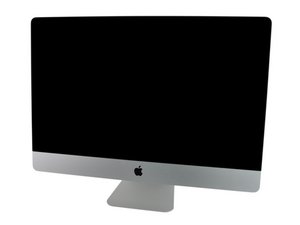
Model A1312 / Mid 2010 / 3.2 GHz Core i3 or 2.8 & 3.6 GHz Core i5 or 2.93 GHz Core i7, ID iMac11,3

Where is the SSD located at?

I recently purchased the iMac 27 2010 i7 with the additional 256GB ssd. Unfortunately, both HDD and SSD were listed as non-functional in the disk utility. I first thought the SATA controller might be defective but when I swapped out the 1TB HDD out with a working one, OSX runs fine from it. The SSD still gets listed in disk utility (as faulty). I havent found the SSD inside of the Mac, does anybody where it is?

Thanks for answering!

已回答! 显示答案 我也有这个问题

这是一个好问题吗?

得分 0
添加一条评论

1个答案

已选择的解决方案

This series could be ordered with an SSD (rarely done) or someone added it.

Apple placed the SSD in-between the air dams located behind the logic board (you’ll need to put it to get to it) and most people added the SSD just behind the optical drive as you can see in this IFIXIT guide: Installing iMac Intel 27" EMC 2390 Dual HDD or SSD Drive.

These early SSD’s Apple used where expensive! And often did not last very long either. Even the early 3rd party drives were still iffy. Todays drives are so much better!

这个答案有帮助吗?

得分 0

1条评论:

The SSD was factory installed so I have to remove the logic board. %#*@.

完成的

添加一条评论

添加你的答案

Leon 将永远感激不已
浏览统计数据:

过去 24 小时: 0

过去 7 天: 0

过去 30 天: 3

总计 95