
跳转到主内容
加入维修社区 - 创建账户

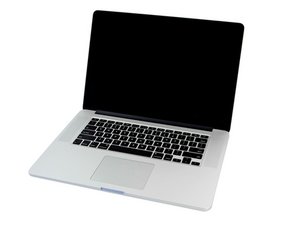
2.0GHz, 2.3GHz, or 2.6GHz quad-core Intel Core i7 processor (Turbo Boost up to 3.8GHz) with 6MB shared L3 cache.

How shall I backup MacMail?

I am upgrading my Mac OS to 10.14. I have lost mail folders in the previous upgrade, and I could not retrieve the files anymore. This time, I have thousands of emails under On my Mac folder. Suggest me something just not to face the old issue again.

已回答! 显示答案 我也有这个问题

这是一个好问题吗?

得分 0
添加一条评论

2个答案

已选择的解决方案

There are quite many users like us who have lost Mac Mail folders while upgrading. Time Machine Backup wasn’t much fruitful as the recovered emails were mostly empty. Later I learned, Mac mail doesn't download the mails to local storage if not opened. Thus Time Machine fails to backup those emails.

Currently, we are using Mail Backup X that offers auto-archiving of emails directly from the Mac Mail. I hope that helps you take Mac Mail Backup properly as well. it sets a warning against all the partly-downloaded emails and instructs me how to download those emails properly. That saves my emails for a longer run. Offers a free trial: http://www.mailbackupx.com/how-to-scener...

这个答案有帮助吗?

得分 1

1条评论:

I have owned the application recommended by you. For a test, i deleted a few emails from my Gmail account post to archival by Mail Backup X. And those emails were easily recovered from the application. Thanks for the same.

完成的

添加一条评论
最有帮助的答案

The best thing is to use Apples supplied back up program called Time Machine. You’ll need an external drive which is at least the same size if not larger that your internal drive.

Connect the drive up and then open Time Machine. Review this Apple T/N How to use Time Machine to back up or restore your Mac

这个答案有帮助吗?

得分 1
添加一条评论

添加你的答案

Kaitlynn 将永远感激不已
浏览统计数据:

过去 24 小时: 0

过去 7 天: 0

过去 30 天: 4

总计 118
