
跳转到主内容

2.0GHz, 2.3GHz, or 2.6GHz quad-core Intel Core i7 processor (Turbo Boost up to 3.8GHz) with 6MB shared L3 cache.

Certain Keys won't work after changing out battery

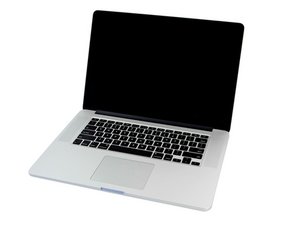
I replaced the battery in my Macbook Pro and now certain keys on the keyboard won’t work such as the “enter” key and the “delete” keys don’t respond. I can use a bluetooth board just fine. Any advice on what to do would be greatly appreciated.

Don

回答此问题 我也有这个问题

这是一个好问题吗?

得分 0
添加一条评论

1个答案

最有帮助的答案

When you where lifting the center cells you may have damaged the keyboard ribbon cable.

Lets see what other keys are failing, go to your keyboard preferences and check off show characters & emojis. That will allow you to see the keyboard viewer so you can walk the keys to see which are failing. Post the list here so we can see.

这个答案有帮助吗?

得分 1

2条评论:

I don't understand. I turned on the keyboard viewer but don't know what to do with it. Iopened up a word doc and started testing keys and the following keys won't respond:

0 - delete \ p ; ' enter ?

Mostly keys on the RH side of KB.

I can reopen the computer and check the KB cable, maybe it isn't seated very well and needs to be reseated.

完成的

The viewer will hi lite the letter (key) as you press them on the physical keyboard.

完成的

添加一条评论

添加你的答案

Charles Shader 将永远感激不已
浏览统计数据:

过去 24 小时: 0

过去 7 天: 0

过去 30 天: 2

总计 73