跳转到主内容
加入维修社区 - 创建账户

Connectivity Problems After Battery Install

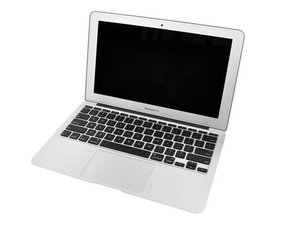
My battery in my A1370 Mid-2011 Mac Book Air swelled so I took it out. It still worked it just had to be plugged in. I installed a new iFixIt battery and it worked without the plug.

I couldn't, however, connect to my wifi network at first.

I reset the NVRAM and the SMC. Eventually, I was able to connect, however even though it said I was connected to the network I couldn't get online. The WiFi bar was full but when I connected it said I had no internet service.

At one point I got connected and got online and had it working fine. But it keeps going back and forth between not connecting at all and connecting but not getting on the internet. Please help! Please and thank you!

回答此问题 我也有这个问题

这是一个好问题吗?

得分 1
添加一条评论

1个答案

My guess is that the AirPort Card is somehow damaged. I would suggest you replace that.

MacBook Air (Late 2010-Mid 2012) AirPort/Bluetooth Board

MacBook Air 11" Mid 2011 AirPort/Bluetooth Card Replacement

Also, while we are on the topic of batteries, let’s do a quick battery test to make sure your battery is OK. Complete the guide I have included below, and upload 2 screenshots of the coconutBattery window , one with the charger connected and one with the charger disconnected. Upload those screenshots to your existing question.

How to Test a Mac Laptop Battery

Replace a 802.11n AirPort wireless / Bluetooth 4.0 internal card compatible with the model A1370, A1465, A1369, A1466 Late 2010 Mid 2011 Mid 2012 MacBook Air laptop. Part #661-5687, 661-6053, 661-6622, 607-9900.图片

产品

MacBook Air (Late 2010-Mid 2012) AirPort/Bluetooth Board

$29.99

MacBook Air 11" Mid 2011 AirPort/Bluetooth Card图片

指南

MacBook Air 11" Mid 2011 AirPort/Bluetooth Card Replacement

难度:

中等

Mac Laptop图片

指南

How to Test a Mac Laptop Battery

难度:

非常容易

3 - 5 minutes

这个答案有帮助吗?

得分 0
添加一条评论

添加你的答案

Dina Sciortino 将永远感激不已
浏览统计数据:

过去 24 小时: 2

过去 7 天: 3

过去 30 天: 12

总计 123