跳转到主内容

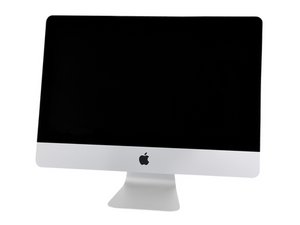
Model A1418 / Late 2013 / 2.7 & 2.9 GHz Core i5 or 3.1 GHz Core i7 Processor

kernel_task process and fan go crazy after replacing HDD with new SSD

I've just replaced the existing HDD (Samsung 1TB) with a SSD (Crucial MX100 512GB). At the same time, I've also boosted the memory going from 8 to 16GB. I also replaced the stickers around with the iFixit kit. Everything when fine, even though it was not easy work.

On the first start, everything worked perfectly. RAM was recognized and SSD too. But after a couple of minutes, the fan started to go crazy and I honestly didn't feel a great change in the way the iMac was performing. It did boot quicker though, but that's mainly the only big difference.

I've installed TG Pro to calm things down. The CPU temperature is not higher than 40°C and also the SSD drive (via SMART) announce a small 31°C. Everything is below 40°C in fact, manually setting the fan speed to 2000 rpm.

At the same time, I see that kernel_task process is using around 70% of CPU load. I've read that it could be related to the fact the SSD drive is not "official" and not managed (temperature wise) correctly.

How can I correct this ? Any idea ?

Thanks in advance.

回答此问题 我也有这个问题

这是一个好问题吗?

得分 0
5条评论

Are you sure you pulled a Samsung drive? These systems use Seagate HDD's. Did it have a SSD instead?

完成的

Isn't there a thermal sensor?

完成的

I pulled a Samsung drive, and as far I can tell there was no thermal sensor. I guess the system is not able to read SMART temp values from the new SSD drive as it should not be this kind of HDD. That's my current guess ;)

完成的

The sensor is internal of the drive and accessible via S.M.A.R.T services. Here's a tool that lets you see it: App Store - DriveMon Apple needs the newer revision of S.M.A.R.T Here's the draft of the new standard: ATA-ATAPI Command Set - 2 (ACS-2)

完成的

@Dan

What do you suggest ?

完成的

添加一条评论

2个答案

最有帮助的答案

If I remember correctly the hard drive in these iMacs have a temperature sensor stuck on top of them with tape.

When replacing the drive you need to keep that cable that sticks on the hard drive plugged in and just stick it anywhere with tape (on the SSD is preferred).

这个答案有帮助吗?

得分 2

1条评论:

Almost Ben ;-}

The 21.5" systems use a 2.5" drive and leverage the newer SMART Spec for temp access. The 27" with 3.5" drives systems use a different method.

完成的

添加一条评论

kernel_task issues are all over the map! It can be do to a physical issue within the system or an OS/App issue.

As you replaced the primary drive after you’ve installed the OS and restored your backup the system needs to index the drive which is of course! Using the kernel_task!

If you had a laptop you could have a bad SATA cable, kernel_task shows up again! If your laptop has a battery which is weak, yep! kernel_task again! If you have a misbehaving App or extension… and the list goes on and on.

Let it run for a good day to let the system finish indexing then see where you are. Here’s a good write up on solving the issue within software: How to fix Mac’s kernel_task high CPU usage bug

这个答案有帮助吗?

得分 2

8条评论:

Do you mean I should install from scratch my iMac ? It could be one solution I haven't tried. There is nothing to be saved on it right now.

完成的

Yeah that's probably it. If you don't need to backup data it doesn't hurt to try. Make sure you get the OS up to high Sierra for better support / compatibility.

完成的

Will do ;) I'll keep you posted.

完成的

I did the full install procedure and my clean MacOS does the same. I even put back the previous hard disk and it does the same. The only way to have the Mac almost working correctly is to boot and disable SMC. Kernel-task is then not eating my CPU but fan is full RPM without any control possible.

完成的

Do you have an external drive you can boot from? See if that makes a difference.

完成的

显示更多的3条评论

添加一条评论

添加你的答案

julienminier 将永远感激不已
浏览统计数据:

过去 24 小时: 1

过去 7 天: 6

过去 30 天: 35

总计 1,717
