
跳转到主内容
加入维修社区 - 创建账户

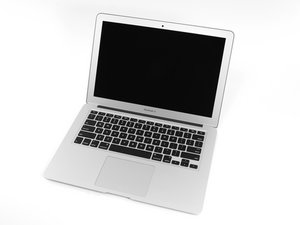
The larger of Apple's MacBook Air laptops featuring dual microphones and 802.11ac Wi-Fi connectivity.

Closing lid doesn't put mac to sleep

I recently replaced the mac keybaord+trackpad assembly because the keyboard went haywire randomly.

After the replacement, the system doesn't sleep when lid is closed.

Tried resetting the SMC and PRAM.

I think its a sleep/close lid sensor issue?

Any help how i can locate the sensor, and make sure its the issue before ordering a part. I saw videos for MBP to put the system to sleep using magnet. i treid running a magnet around the screen and keyboard. nothing happend

Help appreciated.

Update (07/07/2018)

Just FYI, this unit had a very peculiar problem.

Remember the volcanic eruption in Bali couple of years ago? My friend (the real owner this laptop) was there when it happened.

Soon, after couple of days, the keyboard and trackpad goes crazy, random keypress, random trackpad movement, some keys not working, after the system is on for sometime.

When i opened the unit, i did find deposits of volcano ashes under the trackpad , and keyboard/trackpad connectors. and along the air vents. Luckily none the IO or main board. But the right side USB, doesn't work as well.

I am not sure if the sleep problem is because of that. I had to replace the whole upper body case assembly with keyboard and track pad to solve the keyboard/trackpad issue.

已回答! 显示答案 我也有这个问题

这是一个好问题吗?

得分 1
添加一条评论

1个答案

已选择的解决方案

The sensor is part of the I/O board

Block Image

To make sure I would first take a steel paper clip to locate the magnet in the lid, then carefully fold the lid down a piece so you can locate were the clip would be on the uppercase top (use a piece of tape to part the spot). This is the location you’ll need to slide the magnet across. I use this method as the better way as it also checks the magnet and its location in the lid. I would also make sure the I/O cable is fully seated. You may need a new cable as well.

Replace an I/O Board Cable compatible with the Mid 2013 to 2017 13" MacBook Air laptop. Fix the connection between the I/O Board and the Logic Board.图片

产品

MacBook Air 13" (Mid 2013-2017) I/O Board Cable

$14.99

Replace a used I/O board compatible with the Mid 2013 to 2017 MacBook Air 13" laptop. Fix problems with charging, audio, and data connections. Includes the MagSafe 2 power, USB, and audio ports.图片

产品

MacBook Air 13" (Mid 2013-2017) I/O Board

$52.99

MacBook Air 13" Mid 2013 I/O Board Cable图片

指南

MacBook Air 13" Mid 2013 I/O Board Cable Replacement

难度:

中等

15 minutes

MacBook Air 13" Mid 2013 I/O Board图片

指南

MacBook Air 13" Mid 2013 I/O Board Replacement

难度:

中等

25 - 45 minutes

这个答案有帮助吗?

得分 2

5条评论:

Woah! when i tried to locate the magnet on the screen, and taped that area, it falls between the headphone jack and usb . But when used the paperclip on the uppercase, the magnet is coming between USB and magsafe power connector.

Now i am confused! :|

Does it have to exactly on located on top of each other, i mean the magnetic on the screenlid and uppercase?

And is the hallsensor the magnet itself? I mean, if the hallsensor is gone, that means magnetic will be gone and vice versa? or does the hall sensor gets an input/signal from the magent.

Sorry, i am very new to mac hardware. Apologies if my questions are lame. lol

完成的

You reversed things ;-}

The paper clip on the display, fold down mark uppercase. Place magnet on uppercase on marked area. FYI: The sensor is between the headphone jack & USB port.

The MagSafe connector has a magnet which is what the paper clip found.

Check the I/O cable

完成的

Yup! that confirms it. either IO board or cable. Let me get to work to take this thing apart.

No magnet action on the upper case, where i got the mark. that mark does fall in between Audio and USB port.

Will check cable and the sensor and let you know.

Appreciate your help :)

完成的

UPDATE: Got it fixed. Tried changing the cable first. didn't work. Ultimately, changed the IO board. Works perfectly now. Thanks!

完成的

Thats great news!

完成的

添加一条评论

添加你的答案

Razeen Abdulla 将永远感激不已
浏览统计数据:

过去 24 小时: 1

过去 7 天: 3

过去 30 天: 13

总计 1,162