
跳转到主内容

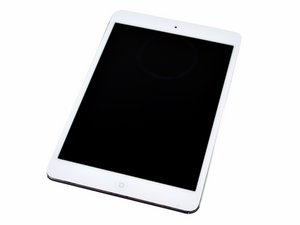
7.9 inch display / Model A1432 / Available in black or white / Announced October 23rd, 2012 / 16, 32, or 64 GB capacity

Home button not working

I just replaced screen with digitizer, and Home button works to turn on screen but when I touch it to close an app it shoots me back to The lock screen like I’ve touched the top button and I have to re login. It works when the screen isn’t seated in place. As soon as I push it in place it doesn’t work again. Digitizer is properly hooked up. I don’t know what to do!

已回答! 显示答案 我也有这个问题

这是一个好问题吗?

得分 0
添加一条评论

1个答案

已选择的解决方案

The iPad mini has a few gotcha’s…

It is prone to ghost touching when the digitizer isn’t top quality. Usually this can be remedied by putting some anti-static tape, such as Kapton tape, over the Home Button flex that runs along the bottom edge of the digitizer. The other problem is you may have kinked the the flex the wrong way. It’s supposed to fold towards the inside of the device.

这个答案有帮助吗?

得分 1
添加一条评论

添加你的答案

mjo83 将永远感激不已
浏览统计数据:

过去 24 小时: 0

过去 7 天: 2

过去 30 天: 2

总计 81