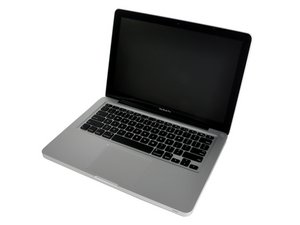

remove & replace keyboard from topcase
Hello,is it easy yo remove and replace the keyboard from the topcase ??only needs to unscrew the screws ?thank you.

声誉积分: 6.3千
 24
24
 39
39
 5
5
Its not so difficult to remove the keyboard from the Top Case. just remove the logic board and dvd rom. then remove the keyboard light sheet then remove the plastic shielding for the keyboard in which leds are inserted. then you will see a lots of a small screws. near about 25-30 approx. and unsrew the power on/off screws. then you can ready to change the whole keyboard without changing whole top case ...
这个答案有帮助吗?

声誉积分: 20.8千
87
89
33
Unfortunately you cannot remove the keyboard itself from the topcase without breaking it. If you need to replace the keyboard for whatever reason, then you need to replce the Topcase itself. Refer to rab's answer above to remove and replace the topcase.
这个答案有帮助吗?

BUt HOW DO YOU PUT IT BACK TOGETHER AFTER TAKING IT AND THE 40 SCREWS OUT?
CAN YOU?
这个答案有帮助吗?
Well - in reverse order, obviously.
过去 24 小时: 0
过去 7 天: 1
过去 30 天: 1
总计 8,699


1条评论
i have already this manual.it does not refer about the removal of the keyboard from the topcase,only says for the removal of the topcase..
由 panos 完成的