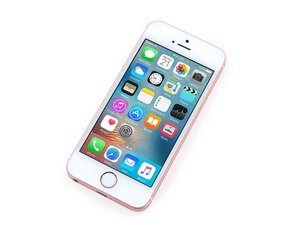

Home button not working
iPhone se home button not working. Feels normal. Software or hardware problem?

声誉积分: 221.8千
 15
15
 295
295
 808
808
Can you expand on what is not working; is it only the click function or the TouchID or both? Also, has anything happened to the phone prior to this problem like a drop, a repair attempt or contact with water?
The button may be physically damaged or it may just be disconnected internally. Open up your phone using this guide and take a look inside to see what's going on. Inspect the connection status, the condition of the connectors and the flexes (look for tears).
If the home button is damaged, then you can replace it but you will loose TouchID functions.
这个答案有帮助吗?

声誉积分: 465
6
18
Have you had any repairs done before it stopped working? Did you drop it or has there been any water damage? And is it just the home button or is it also the Touch ID?
If you know how to, you can try and replace it and see if it works but I wouldn't recommend you do that because apparently it's pretty hard. You can also pay for someone to replace it or fix it as well.
For the time being, use assistive touch as the home button. Go to Settings > General > Accessibility > Assistive Touch and from there you can toggle the home button on-screen. If you want to screenshot there's also an option for that which you can add on.
Hope I could help and good luck!
这个答案有帮助吗?
过去 24 小时: 0
过去 7 天: 3
过去 30 天: 10
总计 7,523
