
跳转到主内容
加入维修社区 - 创建账户

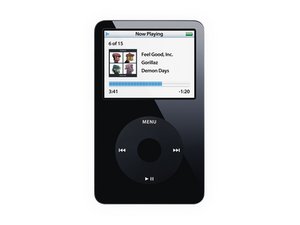
型号 A1136 / 30, 60, 或 80 GB 硬盘 / 黑色或白色塑料面板

Icon shows "charged" when not plugged in

Here is another problem that is new on my iPod (I just don't know what's up with it, there are so many failures):

The icon in the upper right corner shows that the iPod is fully charged, the icon with the plug that follows the flashicon, but the iPod isn't plugged in!

So what do I have to do? Anyone an idea?

已回答! 显示答案 我也有这个问题

这是一个好问题吗?

得分 1
添加一条评论

2个答案

已选择的解决方案

Hi,

thanks for your answer, but these steps didn't fix it.

So I just tried to plug it in and use the windows' "hardware soft removal" (I don't know if it has this name in english) in the taskbar the lower right corner, and it worked!

这个答案有帮助吗?

得分 0

1条评论:

That's great! I suggest accepting your answer just to close the question

完成的

添加一条评论
最有帮助的答案

Hold the center button and menu button for several seconds to reset the iPod, if that doesn't work try toggling the hold switch (leave it off when done). If both fail, try plugging into a computer and restoring the factory settings. If all fails, wait for it to run out of charge then charge it again, then turn it on.

这个答案有帮助吗?

得分 2
添加一条评论

添加你的答案

[deleted] 将永远感激不已
浏览统计数据:

过去 24 小时: 0

过去 7 天: 7

过去 30 天: 15

总计 1,697