
跳转到主内容

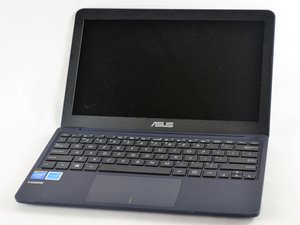
This computer was released by Asus in 2014.

keyboard or mouse not working after a pc reset

Hi, my notebook ASUS X205TA freezes on the welcome screen after I did a PC-windows reset that reinstalled windows. the keyboard doesn't work and the mouse doesn't move. I'm always stuck at the blue welcome screen that shows "Hi there, let's get a few basic things out of the way"

external mouse or keyboard also not working.

i've tried to reset the notebook once again but it didn't help. I think it is the keyboard and mouse drivers are the problem but i don't have any idea of how i can deal with that.

anyone got an idea ? please help!.

回答此问题 我也有这个问题

这是一个好问题吗?

得分 0
1条评论

Try starting with a USB recovery for your version of Windows, you can get this from the Microsoft Support website.

完成的

添加一条评论

3个答案

最有帮助的答案

plug in an external usb mouse and usb keyboard and re boot

Download https://www.asus.com/uk/Laptops/ASUS_Eee... update chipset

All should work after that

这个答案有帮助吗?

得分 4

1条评论:

work for me. Thank u. you save the day

完成的

添加一条评论

hello , i have the same issues after resetting,i install all the drivers provided in the link but no solution.

please advice.keyboard and mouse not working

这个答案有帮助吗?

得分 0

1条评论:

Downloading and installing Chipset drivers worked for mi

Here you are Windows 10 32 bits drivers

https://dlcdnets.asus.com/pub/ASUS/EeeBo...

完成的

添加一条评论

Here’s a complete video on how to fix it your self (keyboard, mouse and audio)

https://www.youtube.com/watch?v=3ryWHkbz...

这个答案有帮助吗?

得分 0

1条评论:

The link doesn't exist anymore.. please help...tips( the link to download the Intel int chipset does not longer exist)

Please help

完成的

添加一条评论

添加你的答案

Karem Allouji 将永远感激不已
浏览统计数据:

过去 24 小时: 0

过去 7 天: 1

过去 30 天: 18

总计 12,073