跳转到主内容
加入维修社区 - 创建账户

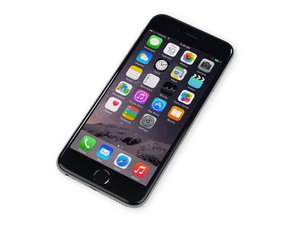
这款4.7英寸iPhone于2014年9月19日发布,是iPhone 6 Plus的缩小版。

iPhone 6 error 14

i have an iphone 6 error 14 on restore can't restore

need to plug iphone then wait to turn on wan't turn on when you want only phone when turn on itself

than go to itunes mode start recovery and update start writing around 20% than error 14 any idea

tryed new battery new charging port

no any water damage

回答此问题 我也有这个问题

这是一个好问题吗?

得分 1
添加一条评论

3个答案

Try this one may help you

1.Windows XP: Goto C:/Doc*u*ments and Settings/Application Data/Apple Computer/iTunes/iPod Software Updates 0r iPad Software Updates

(delete ipsw file in this folder )

2.Windows 7: Goto C:/Users/Your Username/App Data/Apple Computer/iTunes/iPod Software Updates 0r iPad Software Updates (delete ipsw file in this folder )

After you deleted ipsw file from Software Update folder already:

1. Re-download the IPSW file from Apple server or Apple site

2. Now, try to restore the downloaded IPSW file from your iTunes. again

All done

这个答案有帮助吗?

得分 0

2条评论:

that didn't work for me I even bought Dr.Fone for iOS but still didn't have any luck . Can you recommend me some software or anything ?

完成的

how about win 10 64 bit?

完成的

添加一条评论

Have you tried a different USB port and a different lightening cable? Also sometimes it will work if you try it on another pc…

Update (10/11/2018)

Also… reiboot is a good package, when iTunes fails it is the first package I try

这个答案有帮助吗?

得分 0
添加一条评论

iPhone 6 error 14 is the NAND flash issue. Check whether the NAND flash chip is pseudo soldered or damaged by measuring related resistance.

这个答案有帮助吗?

得分 0
添加一条评论

添加你的答案

xhevat azemi 将永远感激不已
浏览统计数据:

过去 24 小时: 0

过去 7 天: 1

过去 30 天: 10

总计 8,941