
跳转到主内容

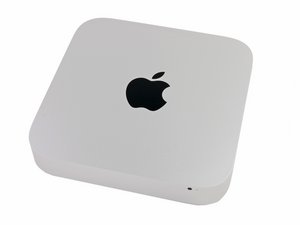
发布于2012年10月23日。酷睿i5或酷睿i7处理器。配备Apple Fusion Drive.

How to format replaced SSD in Mac Mini dual drive server

I successfully replaced the failed drive in my dual drive Mac Mini Server with a 960 GB Toshiba SSD - thank you iFixIt! However, the failed drive was the original boot drive and I am getting an error message when I try to log in to the server to format the new hard drive (which I planned to do via Time Capsule or Super Duper).

I am able to access files and the second hard drive is functioning ok as the server but I am not getting use of the new hard drive that I can then duplicate on the second hard drive for backup purposes.

Any ideas???

已回答! 显示答案 我也有这个问题

这是一个好问题吗?

得分 0
添加一条评论

1个答案

已选择的解决方案

The easiest way here is to create a USB thumb drive installer. Follow this guide: How to create a bootable macOS Sierra installer drive

As much as you want the very latest MacOS I caution you not to! High Sierra alters the GUID/Mac OS Extended (Journaled) volume to APFS when it sees a SSD.

The issue here is the fact your system is SATA based SSD not a PCIe based SSD so it messes up the drive as the thinks it has the deeper number queues a PCIe has when in fact it doesn't! This makes coping & saving files within finder very slow!

OK so we'll stick with Sierra for now until Apple comes up with an update to address the queuing issue for High Sierra.

Now with the thumb drive boot up holding the Tab key to gain access to the boot manager, select the USB thumb drive and then run Disk Utility to setup the GUID/Mac OS Extended (Journaled) volume. Once don run the installer (just make sure you've selected the correct drive) That should do it!

这个答案有帮助吗?

得分 2

1条评论:

As this is a replacement of the boot drive the hidden recovery partition is not present as it was part of now removed drive so the only other means is using internet recovery which is very slow in most cases.

完成的

添加一条评论

添加你的答案

whitney1 将永远感激不已
浏览统计数据:

过去 24 小时: 0

过去 7 天: 2

过去 30 天: 14

总计 1,169