
跳转到主内容
加入维修社区 - 创建账户

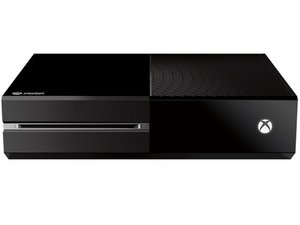
发布于2013年11月22日的微软第三代Xbox游戏主机。

Controller sync button not responding.

I cannot get my controller to sync to the Xbox. When i press the side button on the Xbox it will not enter sync mode. if i plug the controller in with a USB cable it will work like normal, but the second I unplug the cable it disconnects. I have already tried a factory reset of the system and tech support wants to charge me to replace the system. any advise?

已回答! 显示答案 我也有这个问题

这是一个好问题吗?

得分 1
添加一条评论

1个答案

已选择的解决方案

If your wifi is still working, and assuming the controller's transmissions are working fine, it sounds like it might be the RF module. Xbox One RF Module Board

or..

Xbox One Wi-Fi Board

and..

Xbox One Wi-Fi Cable

Replace a damaged RF module daughter board. This part is compatible with an Xbox One console.图片

产品

Xbox One RF Module Board

$5.99

Replace a damaged 802.11ac Wi-Fi board in your game console. This part is compatible with an Xbox One console.图片

产品

Xbox One Wi-Fi Board

$29.99

Replace a broken or damaged Wi-Fi cable for your Xbox One game console with this part. This cable bundle and plastic bracket connects the Wi-Fi board to the motherboard. This is a used, OEM part.图片

产品

Xbox One Wi-Fi Cable

$4.99

这个答案有帮助吗?

得分 1

8条评论:

It connects to Wifi just fine. When I press the button to sync I can hear it click, but the console light wont flash.

完成的

If you have another controller to test you might try it first, otherwise I suspect the RF module. Hope this helps :)

完成的

I have tried a controller from another console with no luck. Any idea how to change the RF Module? I couldn't find anything online

完成的

There is a guide right underneath the part that I listed for the RF Module :) ifixit is the best.

完成的

You should also double check your settings to make sure the problem doesn't lie there.

完成的

显示更多的3条评论

添加一条评论

添加你的答案

Chad Edwards 将永远感激不已
浏览统计数据:

过去 24 小时: 0

过去 7 天: 2

过去 30 天: 7

总计 19,442