
跳转到主内容

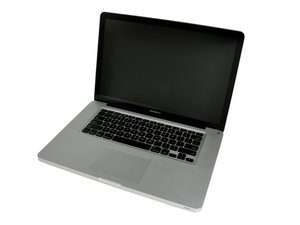
Model A1286. Released February 2011 / 2.0, 2.2, or 2.3 GHz Quad-core Intel Core i7 Processor

Why won't my screen turn on?

I shut my computer the other day, and when I opened it back up the next afternoon, the screen was black. The first time, I followed this guide (http://osxdaily.com/2014/11/22/fix-macbo...) and when I got to the part of resetting the PRAM, that seemed to fix it as the grey screen finally appeared.

The second time it happened about a week later, I followed the same guide and the PRAM reset did not work. After multiple attempts at the different steps, my boyfriend tried the SMC reset and that worked, the grey screen appeared again. I made sure to shut my computer off when I was done with it that time, and when I started it again, it seemed alright.

The next day though (yesterday), it did it again. I tried the guide above and nothing seemed to work, and eventually it just randomly appeared when I turned it on.

It happened for the fourth time last night as I was going to shut down my computer for the night. I think I accidentally hit restart because my computer screen went black and the indicator light at the front of the computer went off and came back on. I tried the different resets again, and nothing seemed to work. At one point, it did start to make the start up chime sound, repeatedly, after which I shut it back down.

Woke up this morning and tried to turn it on again, and got a blue screen.

I have also tried the flashlight test, and I do not see anything through the screen. Hitting the caps lock key does not turn the key indicator light on either.

Any help with this would be much appreciated.

回答此问题 我也有这个问题

这是一个好问题吗?

得分 0
添加一条评论

1个答案

Sadly you've hit the dedicated GPU problem. There is two issues both will need micro-soldering skills to repair.

The first is a tantalum capacitor involved in the switching logic between the internal CPU GPU logic (Intel Iris graphics) and the external dedicated GPU. The second issue is the dedicated GPU its self has failed. Other than finding someone to repair your logic board your only other option is to replace it.

One option in the meantime is to see if you can force the system into using the built-in graphics services using the gfxCardStatus utility. But you'll need to get your system running at least to install it and then set it. So lets try getting your system into safe mode by holding the Shift key during boot. if that fails try getting to the startup manager using the Option key.

Let us know if you succeeded - Good Luck!

Reference: Startup key combinations for Mac

这个答案有帮助吗?

得分 0

3条评论:

I've tried shift and option keys during start up, but because the screen is consistently black they don't do anything. I've restarted it a bunch of times and at various times, the screen has been green (both flashing and solid green), white, blue, and also had stripes at one point.

完成的

Does an external monitor show the same stripes (condition) when you get it to that state?

完成的

I have not connected it to an external monitor. Most of the time the screen is black as if my computer is not even booting up.

完成的

添加一条评论

添加你的答案

Bri Oxenford 将永远感激不已
浏览统计数据:

过去 24 小时: 0

过去 7 天: 1

过去 30 天: 5

总计 93