
跳转到主内容

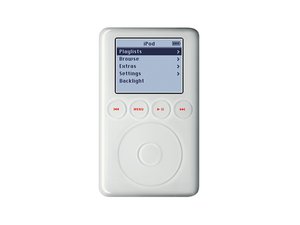
型号A1040 / 10, 15, 20, 30, 或 40 GB 硬盘/ 中央转盘上方有四个触控激活 LED 背光按键

Front panel and Click wheel board replacement

I have a new front housing without the click wheel board. How do I remove the board from the front panel and then re-attatch to the new front housing. Is it glued and what type of glue for the re-install. Do I have to use a rework station heat blower to soften the old glue, and if so what temperature do you recommend?

Thanks

回答此问题 我也有这个问题

这是一个好问题吗?

得分 0

1条评论:

[video|955]

Thanks Rachel for the quick reply.

This is a brand new faceplate! I need to figure out how to swap the touch board over. Check out the video if you like. Thanks again

完成的

添加一条评论

1个答案

According to the front panel replacement guide, it's supposed to have the wheel in the front panel. That's most clearly visible in Step 17 (the last step): iPod 3rd Generation Front Panel Replacement

The 2nd gen had a removable touch wheel, as seen in this video.

I'm not finding any evidence of people separating the touch wheel from the front panel. But if it's no good to you attached to the old front panel, it might be worth trying to separate. If you do succeed in this, please document it and add a section to the above 3rd Gen Front Panel guide, so as to help others in this position.

You may also want to add it to Stories: https://www.ifixit.com/Stories. There may well be a story about this in the 148 pages there, but I'm not seeing a keyword search function for that part of the website.

Best of luck!

这个答案有帮助吗?

得分 0
添加一条评论

添加你的答案

Christopher South 将永远感激不已
浏览统计数据:

过去 24 小时: 0

过去 7 天: 2

过去 30 天: 3

总计 113