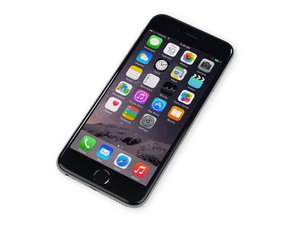

iPhone 6 lcd screen
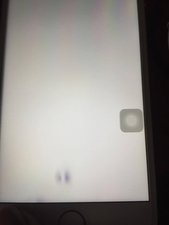
Currently having problems with my newly replaced iphone 6 screen. i installed it and now theres just dent with the pixels or screen itself. is there anyway to fix it?

声誉积分: 254
 7
7
 2
2
Looks like pressure marks; Check if they are still there when you lift the screen up out of the housing, if they disappear it means something was pushing behind the screen like a swollen battery or a loose screw. If they persist when the screen isn't fitted to the phone, it could just be a blemish on the LCD, a warranty issue with your supplier.
这个答案有帮助吗?
I tried this screen on another phone too and the same problem persisted. Is there any possible way to fix it?
As far as I know, I do not believe you can fix this once it's damaged. It's usually dead pixel which in result would be getting a new screen.
On very rare occasions these marks can be "massaged" out by lightly rubbing the underside of the LCD - but these types of marks are usually permanent. Your only options are to live with it or replace it. See if the supplier will replace it under warranty.
It’s not an air spot. I had tried to hook up a key board to my iPad and had me change some settings. I never did get the keyboard to work but this app like image is still on the screen.
@rae27336 That would be the assistive touch icon; it can be turned on manually or it comes on when the home button isn't detected or Touch ID doesn't work. It serves the same function as the home button. To turn it off, go to Settings > General > Accessibility and toggle off the AssistiveTouch option.

声誉积分: 9.6千
20
19
 16
16

It seems the polarizer has some problem. You should replace a new polarizer film to see.
这个答案有帮助吗?
过去 24 小时: 1
过去 7 天: 13
过去 30 天: 29
总计 246
