
跳转到主内容
加入维修社区 - 创建账户

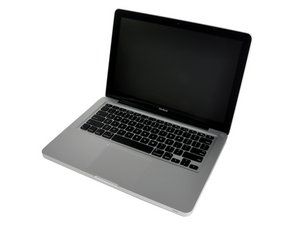
13" aluminum unibody, 2.0 or 2.4 GHz Core 2 Duo processor.

Won't power on after RAM upgrade

Hi,

I upgraded the RAM in my 13" 2008 unibody MacBook, and it doesn't turn on.

I put in the original RAM sticks and the problem persists

Pleas help if you know what to do

Update (09/15/2017)

Ok here are a few pictures

Block Image
Block Image
已回答! 显示答案 我也有这个问题

这是一个好问题吗?

得分 0
添加一条评论

1个答案

已选择的解决方案

This doesn't sound good :-{

We really need to see a good set of images of what you have now. Take a picture with the RAM modules in place take the top one out, and take another. These need to be tight in focus shots of the RAM slots so we can see the alignment of the modules. In addition take a snap of,the modules labels showing us Set A and Set B that way we can verify what you have.

Compose a new answer and paste them into it and when you save it it will ask you if you want to update your question say yes.

这个答案有帮助吗?

得分 0

3条评论:

I added a few pictures to the question

完成的

@dorito - the modules appear to be correctly seated so I don't think that your issue. Are you sure you got the correct modules?

Was there any clues beforehand that could be the real issue here? Basically was the system running without any problems.

完成的

The computer was working fine, except for the occasional stutter.

完成的

添加一条评论

添加你的答案

Luca 将永远感激不已
浏览统计数据:

过去 24 小时: 0

过去 7 天: 0

过去 30 天: 0

总计 196
