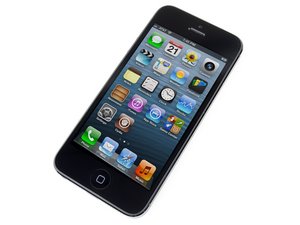

Why won't my iPhone turn on after battery drain?
So, weeks before this happened, I had my battery newly replaced. The replacement was doing fine, I was having no problems with it.
Until 2 weeks ago, I forgot to charge my powerbank and my phone drained all the way to 0%. I was thinking that I would just charge it when I got home, but that was not the case. When I plugged the phone in, it just wouldn't open. It wouldn't charge. Nothing happened. I charged it for the whole night, and there was no sign of life. I even tried charged it for a whole day.
When I tried connecting the phone to my laptop, iTunes/my computer wouldn't detect anything. It seemed like my phone suddenly turned into a brick.
I tried almost all the tricks: Holding the power + home button at once for seconds, connecting the phone to the computer, attempting DFU restore mode, etc. Nothing would work. I even tried using a blow dryer but it would not switch on.
I did not drop the phone. It was in my pocket the whole time. Plus, while charging, the phone doesn't heat up or anything.
P.S. This has happened to the same phone before. Only before, when I connected it to my laptop, it detected the phone and it even went to DFU mode. The issue got fixed after I got a battery replacement (not the same battery as this).

 6
6  2
2 


Now I'm not 100% certain, but to me it sounds like MOBO (motherboard issue).
In with case I actually would recommend getting another phone. fixing the issue is probably doable but would take a lot of time and money+ special skills to be done (micro soldering).
由 Cristoffer Magnusson 完成的