
 2
2 Having problems installing OS El Capitan
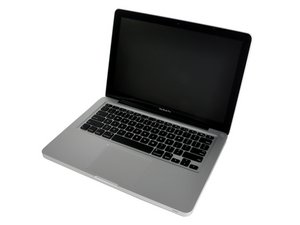
Bought a Toshiba MQ01ABD100 Media drive from iFixit for my mid-2009 MacBook Pro 13" (It is the exact same model that my local MacStore installed a couple years ago.)
Using various how-to's around the internet (since the iFixit how-to is for an older OS X),
I successfully made a bootable USB drive and booted off it. Got so far as erasing the drive using Disk Utility, but when I hit 'Erase" I get the following; "Erase process has failed..." Show Details reveals: "Wiping volume data to prevent future accidental probing failed. Operation failed..." Ran First Aid, everything copacetic. Tried again, same messages.
So I guess my question is: now what?

 338
338  974
974 

1条评论
Your systems specs: MacBook Pro 13" 2.53 GHz Core 2 Duo (Mid 2009)
Your HDD specs: Toshiba MQ01ABD100
由 DanJ 完成的