跳转到主内容

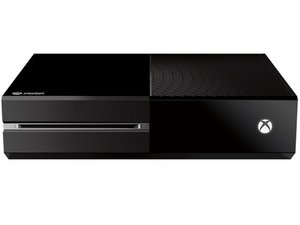
发布于2013年11月22日的微软第三代Xbox游戏主机。

E101- What is the cause and how to fix

Bought an Xbox one on ebay advertised as having E101/E102. Displays E102, then after either the offline update or the factory reset USB it displays E101. Upon restart it goes back to E102. I've tried both of the tools, but every time it says something went wrong. The first time I tried the the update tool it hung at 5%, so I shut it down and retried. Then it would immediately say something went wrong. When I try the factory reset option, it reboots and then says something went wrong. It's still got the warranty sticker, and I plan to resell it, so opening it up to reformat the hard drive isn't prefered. Also, should I have too, is reformatting the HDD all that's necessary to installing the OS? Does it install it from the internet? Thanks.

已回答! 显示答案 我也有这个问题

这是一个好问题吗?

得分 2
1条评论

@tronicsfix help, please!

King of Consoles :-)

完成的

添加一条评论

1个答案

已选择的解决方案

It's that the update partition on your hard drive is corrupted. You can use the Xbox diagnostics tool (I don't remember the exact name, it can be found on Xbox's page, though), or fix the update partition by disassembling the Xbox and plugging the hard drive into a pc and following a guide on se7ensins. Your last options would be to send it in to Microsoft or sell it.

Hope this helped!

这个答案有帮助吗?

得分 1

4条评论:

I know I can fix it by de-corupting the HDD (I did that on my own with E200) but it still has a warranty sticker, so I'd prefer not to open it. Is there any way to do it externaly?

完成的

Thanks. Turned out my HDD is all messed up.

完成的

I find nicht se7ensins guide. Link?

Thanks ;)

完成的

Link please for the se7ensins guide

完成的

添加一条评论

添加你的答案

George A. 将永远感激不已
浏览统计数据:

过去 24 小时: 1

过去 7 天: 26

过去 30 天: 70

总计 16,480