跳转到主内容

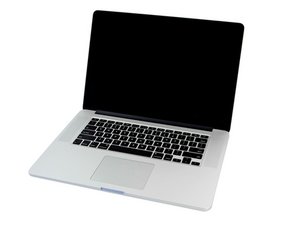
2.0GHz, 2.3GHz, or 2.6GHz quad-core Intel Core i7 processor (Turbo Boost up to 3.8GHz) with 6MB shared L3 cache.

Keyboard is not fixed after replacement

I recently spilled half-cup of tea to my macbook. After drying it I turned it on and found out that left shift key was always in pressed position. I tried to unmount the keys and clean under them but it had no effect.

So I ordered a new keyboard and replaced it on my own (was doing it first time in my life). Everything seemed to be ok, after a short period of time left ctrl stopped working. Of course I was upset and thought that's my fault and I didn't do replacement work good enough. But after some time left shift become stuck again (not the button itself but it's software status).

And now I'm confused, how the same keys could be broken again on the completely new keyboard? I've changed the board itself all the keys with pressing mechanisms, wires going to motherboard. The only original part is backlit layer. How can that happen? Maybe I should try to plug and unplug the keyboard wires from the motherboard?

已回答! 显示答案 我也有这个问题

这是一个好问题吗?

得分 0
3条评论

Please give us your exact model. Apple made a few different versions. Look up your system here using your S/N: EveryMac - Lookup

完成的

it's A1398 (EMC 2745)

完成的

添加一条评论

1个答案

已选择的解决方案

It could be the keyboard backlight; if there is dried liquid on this, it can heat up and effect the keyboard membrane.

As strange as it sounds, I have had a MacBook returned due to this issue twice. I have never seen a keyboard go faulty (unless it has had contact with liquid), so for it to happen twice on the same MacBook, I was confused and thought it could maybe be a bad batch of keyboards. It was only when I noticed there was a bit of liquid on the backlight, underneath the CPU area, I realised it would have heated up (becoming wet) and would damage the new keyboard.

Replace the keyboard and backlight, should resolve your issue (unless it is logic board related, but you say you have replaced the board so this should be fine).

Here's how to do it:

MacBook Pro 13" Retina Display Late 2013键盘更换指南

这个答案有帮助吗?

得分 3

2条评论:

Thank you for your reply! I think it could be it. But what is the solution? Can I just wipe backlight layer with alcohol napkin or I need the replacement? And should I change keyboard again after that?

完成的

You'll need to change the keyboard definitely, the damage is done. You may be able to clean the backlight, but in my case I just replaced it to be safe

完成的

添加一条评论

添加你的答案

a.a.obukhov 将永远感激不已
浏览统计数据:

过去 24 小时: 0

过去 7 天: 0

过去 30 天: 2

总计 202