
跳转到主内容
加入维修社区 - 创建账户

在与惠普合并前,康柏电脑制造全系列的笔记本电脑。 现在他们由惠普制造,拥有最基础功能的电脑。

WiFi Button won't turn on.

Block Image

Help please. I am not very good with computers and a couple of days ago the keyboard stopped working. Plugging a mouse in worked but plugging a keyboard in didn't. I have been trying to look at websites to figure it out but I don't understand most of what I am reading. I ended up logging in using the on screen keyboard and then used the mouse to look at the device settings and a lot came up with the warning symbol. I figured it could be a virus but I can't download any antivirus since the WiFi button won't turn on and I can't find an Ethernet cable. I managed to delete a couple apps I thought could have the virus and today the keyboard started working but the WiFi button just won't turn on, it stays yellow. I went into device manager and it still has the warning symbols. I tried to uninstall the WiFi but it wouldn't uninstall. I have even tried hard restarting. I just don't want to hand it in to be fixed because I don't have the money. Can someone please help??

已回答! 显示答案 我也有这个问题

这是一个好问题吗?

得分 0
3条评论

Hi,

What is the model number of the Compaq laptop?

What OS is installed?

If Win 7 or higher there is always Windows Defender A/V which should be installed in the computer. Go to Control Panel > Windows Defender and go from there as to whether to activate and test etc. for a virus.

Try starting in 'safe mode with networking' and see if the WiFi works.

完成的

I have tried both running windows defender, which didn't detect anything and starting in safe mode with networking and there the WiFi still didn't turn on.

完成的

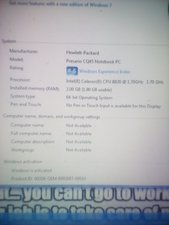
I also uploaded a picture in my original question hopefully you can read it and it gives you all the help you need and thank you for your help

完成的

添加一条评论

1个答案

已选择的解决方案

Hi,

What hardware devices does Device Manager still show the warning symbol for?

What is shown in Device Manager regarding the WiFi? (go to Device Manager > Network Adapters > WLAN - will be either Intel or Broadcom adapter)

Did you try to uninstall the WiFi adapter driver from here? (right click on the WLAN adapter entry and select uninstall)

A quick way to try is to do a system restore to an earlier point in time before your problems started, (if you have one that is)

You shouldn't lose any data by doing this, but any programs or updates that were installed after the selected date will have to be reinstalled.

Here is a link that shows what to do.

这个答案有帮助吗?

得分 2

6条评论:

I have tried unintalling every time I click uninstall it does nothing. I have also attempted system restore but it only comes up with an error. Everything under Network adapters has the yellow warning sign.

完成的

"System Restore did not complete successfully. Your computer's system files and settings were not changed. Details: The specified object was not found. (0x80042308)

You can try system restore again and choose a different restore point. If you continue to see this error, you can try an advanced recovery method. For more information, see What is Recocery?

完成的

I have tried different restore points and they all come up the same. When I click run system restore the second time it comes up with "There was an unexpected error. Catastrophic failure (0x8000FFFF)

Please close System Restore and try again"

完成的

Run a system file check.

Type (if you can) 'cmd' (without the inverted commas) in the Windows search box (click on Windows start button, lower left on task bar, to show search box ). When the cmd program icon result appears, right click on it and select 'run as administrator'.

When the window opens type in the following from where the cursor is flashing and press the enter key.

sfc /scannow (yes there is a space between the sfc and the /

The mouse doesn't work "in" this window only the keyboard, so if you make a typing mistake you have to backspace and re type the correct characters. (although you can close the window with the mouse by clicking on the X symbol, top right of window)

You could also try running a check disc, here's how https://www.vistax64.com/tutorials/67612...

完成的

I am pretty sure there is malware but how on earth fo i get rid of it??

完成的

显示更多的1条评论

添加一条评论

添加你的答案

Shane Moran 将永远感激不已
浏览统计数据:

过去 24 小时: 0

过去 7 天: 1

过去 30 天: 10

总计 11,707