Hi,
Does the laptop's 'clock' advance if you change the time setting so that it does not synchronize with the internet time i.e keeps its' own time?
Check that the Windows Time service is set to Automatic and that it has started.
Type services.msc in the Windows search box, (then select services.msc). When the Services window opens scroll down to find the Windows Time entry. Verify that its' Startup Status is set to Automatic and that its' Status is Started.
If this is not the case, right click on the Windows Time entry and select Properties. Change the Startup Type to Automatic and Start the service in Service Status then click Apply
Hi,
OK.
I think that you have a flat (no pun intended) CMOS/RTC battery in the laptop. This is usually a coin cell type battery (non-rechargeable) that maintains the BIOS settings and the clock settings when the laptop is turned off. They usually have a life span of 5-7 years.
Here is a link to a video which shows how to dis-assemble the laptop. At 6.21 minutes into the video the battery is visible (I think - I don't know your particular laptop but it looks like a coin cell battery to me, I've indicated it in this image
(click on image to enlarge for better viewing).
The coin cell battery type is stamped on the battery itself and usually is a commonly available type. Also ensure that you put the new one back in the correct way. Take a picture of the old one in situ before you take it out as a reference.

 1
1 
 399
399  1.5千
1.5千 

4条评论
What model is this and are you connected to the internet at all times?
由 Cameron 完成的
Cameron!
.
Thank God someone can hear me! I'm in the vault of darkness with this!
OK. so - yes - I am continuously connected to the internet by cable. Right now the clock on the desktop reads - 8:48 AM - which is exactly the time it became this morning when I reset it to internet time. this illustrates the problem ((while the real time was about 7:50PM when I typed the words)). The clock on the desktop doesn't advance.
Now, you should know that I sort of inherited this abandoned lap top and it appears to have a false Windows Certificate. But almost everything seems to work fine; playing downloded music, YouTube, I use the Open Office word processor app - so that OTHER than the time deal, everything's fine.
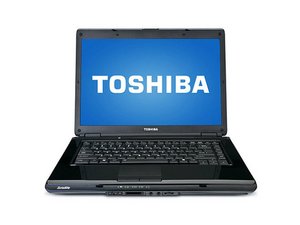
Toshiba - Satellite L-305 . . .. . .Model # PSLB8U . . . . . . is what the sticker says.
What does all this mean?
Thanks!
Dagaan
由 Dagaan Galakticos 完成的
Do what jayeff said
由 Cameron 完成的
I did and it worked! Thanks for your efforts!
由 Dagaan Galakticos 完成的