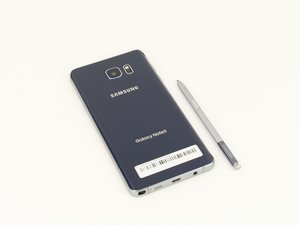

news application auto installed
How do I get rid of the news app which has automatically installed itself on my Samsung Galaxy Note 5?

声誉积分: 528.6千
 11
11
 401
401
 1.5千
1.5千
Hi,
Here is an image which shows how to delete apps from your phone. Be careful before you delete any apps from the phone, that you do not delete any system apps as your phone may not work properly after you do. Any apps listed in the Downloaded area in Applications Manager should be OK to delete though.

(click on image to enlarge for better viewing).
I also recommend that you download, run and install the following app to check if there is other malware installed. Once it has been run and any further malware has been deleted you may either wish to keep it installed for future use or simply delete it as shown in the image above.
https://play.google.com/store/apps/detai...
Also have you got an A/V (anti virus) app installed? I recommend that you also install one as well to safeguard the phone against potential virus attack. Here is a link to just one for you to consider, there are others available. Just search for anti virus apps for Android to find one that appeals to you.
https://play.google.com/store/apps/detai...
Hopefully this is of some help.
这个答案有帮助吗?
过去 24 小时: 0
过去 7 天: 1
过去 30 天: 2
总计 75
