
跳转到主内容

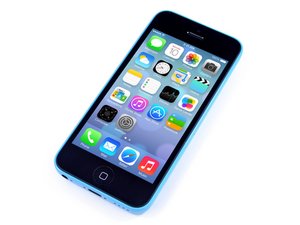
苹果 iPhone 5c 于2013年9月10日发布。该设备的维修与以前的型号相似,需要螺丝刀和撬机工具。提供GSM或CDMA / 8,16,32 GB /白色,粉红色,黄色,蓝色和绿色。

How to troubleshoot dead iPhone 5c?

Hello,

I was removing the battery connector from my iPhone 5c but instead using a plastic pry I accidentally used a metallic one.

It sparkled and phone died right away. I think I did a short circuit between the battery connector and the metal shield beside it.

Now my phone is dead and wont power on. iTunes doesn't recognize it and battery is charged (I measure it with multimeter and its about 4,14V).

I want to know how to get started by testing the components to find the damaged ones and replace them myself. Is there any idea?

Thank you!

Update (02/16/2017)

I took a better look and seems a component is missing between the connector and the shield, it is C22.

Take a look at the image: http://imgur.com/a/582qi

Block Image

What does this capacitor do? In the schematic is 56PF connected to PP_BATT_VCC, is it a filter to the main power bus? if yes, could it be the problem?

已回答! 显示答案 我也有这个问题

这是一个好问题吗?

得分 1
添加一条评论

1个答案

已选择的解决方案

You will need to search for and download the schematics for the iPhone 5C. Then you can start probing for PP_BATT_VCC and PP_VCC_MAIN. Check to see if they are shorted to ground as those are the main voltage rails. You will also want to check the components near the battery connector. You may have blown one or knocked it off the pcb.

You will need a multimeter to do this and fairly sharp probes, otherwise you may create more shorts. The component density is very high and the component size is very small. If you are uncomfortable doing this, then you should look for a micro-soldering repair shop to do this for you.

这个答案有帮助吗?

得分 5

6条评论:

I checked and there are 7 components between the battery connector and the shield, they are all placed correctly (compared the board with schematic, no one is missing).

I have a device to measure the voltage and current in the USB bus (from the USB power source to charging port). Without the battery it consumes 0,11A and with the battery it consumes about 0,43A (does not difference with or without display and touch connected to the phone).

Is there a point like a pad or a via I can use to check if theres power to the processor and other components?

Any other idea?

完成的

That is a decoupling capacitor for the BATT_VCC line. Your phone should work without it. However , once it is removed from its pads, it may have moved around and could (or eventually could) short out other components. Ideally you want to locate it.

FL11 looks a little out of place and it is a line filter (ferrite bead) on the gas gauge line. That's the line that tells the phone at what percentage the battery is. If it is not making electrical contact then it is like an open, or intermittently open circuit and it will confuse the charging circuit. It won't know when to charge or not. This component has to re-soldered or reflowed properly.

Unfortunately, it connects directly to the CPU and PMIC so there is no test point to check to see if is connected electrically. Inspect it with a microscope and push it delicately to see if it properly connected.

完成的

I tried to check if hes properly connected and it moved from the soldering pads, I will put it in the position and solder/reflow it. If I can't acomplish this task, could I just short it?

Is there any software to sweep the phone? Like something with features that you connect the computer to phone through and it checks circuits?

Anyway, thank you for help so far.

I will post updates

完成的

Be careful if you try to reflow it, the battery connector melts very easily. You could short it...the phone will work but you will no longer have any noise filtering so the gas gauge may behave erratically (not likely though).

As far a I know, there is no sweeping app.

If this answer solved your problem, please “Choose as Solution”.

完成的

The problem was FL11. At first I tried to resolder and had no success, actually all I could do was accidentally remove it.

To solve it I took a heat gun, soldering paste and managed to solder a "jumper" in the FL11 spot. Now I connect the battery to the phone and plug it into computer via USB and iTunes detects it¹.

¹ - I don't have an available working screen to test it. It is yet to arrive from the shop I bought from. But apparently it worked out (due to fact iTunes recognizes it).

Thank you for help!

完成的

显示更多的1条评论

添加一条评论

添加你的答案

Juliow 将永远感激不已
浏览统计数据:

过去 24 小时: 0

过去 7 天: 2

过去 30 天: 6

总计 577