跳转到主内容
加入维修社区 - 创建账户

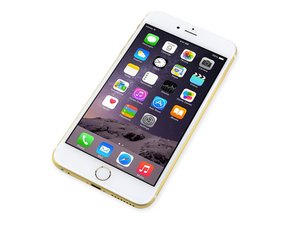
2014年9月19日发布的iphone 6 Plus有着比iphone 6大的5.5英寸屏幕。

USB Not working after screen replacement

Hi all!

I replaced the screen on my iPhone 6 plus and just when starting it I noticed the boot was extremely slow, like 10 minutes just to have the phone running again, then now in the home screen I see the touch id is not working (the new screen has it) and also the phone isn't charging and If I put it on DFU mode and connect it to PC or MAC them will not detect the phone

The unique way to have the phone charging is to leave it discharge to dead (0%) and plug it, it will charge until 2%, will automatically start and that's it, it will not charge any more

Any idea what can i do?

已回答! 显示答案 我也有这个问题

这是一个好问题吗?

得分 0
添加一条评论

1个答案

已选择的解决方案

I assume the phone worked properly before you did the screen replacement.

Did you follow this guide? Of particular importance is Step 12. Notice how the screws are of different lengths? There is only 0.3mm difference between the short ones and the next closest.

If you mixed up those screws, you may have damaged the logic board. This is commonly called Long-Screw Damage.

This is what I fear in your case.

Of course, depending on if you used heat or not on the device to open (not necessary), there may be other logic board problems such as U2/Tristar (it communicates with the Lightning Port and "talks" with certified chargers).

So go back through the steps of the guide and let us know if everything was done properly. You will probably need to find an experienced micro-soldering repair shop to fix this.

这个答案有帮助吗?

得分 1
添加一条评论

添加你的答案

Jose Restrepo 将永远感激不已
浏览统计数据:

过去 24 小时: 0

过去 7 天: 1

过去 30 天: 2

总计 202