
跳转到主内容

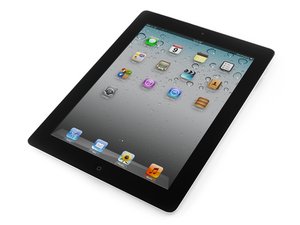
Second generation of Wi-Fi iPad, released on March 11, 2011. Model number A1395. Repair is difficult and will require heat.

LCD does not turn on

I recently replaced the digitizer on and iPad 2. After the repair the iPad turned on for about 3 seconds the turned off. I plugged it in, but nothing happened. I tried a hard reset and that didn't work. I then went to check if iTunes recognized it, and it did. After that I reseated the LCD connecter and it still doesn't work. Please help

已回答! 显示答案 我也有这个问题

这是一个好问题吗?

得分 0
添加一条评论

1个答案

已选择的解决方案

Did you isolate the battery before removing the LCD? You may have damaged the backlight circuit on the logic board. Check L2200 to see if you have continuity across the filter. If you do, check the voltage and work your way back to D8228.

Look for the schematic on Google to see the boardview.

这个答案有帮助吗?

得分 1

3条评论:

No I did not isolate the battery. The video used some sort of special tool that I don't have, so I tried to separate it with my spudger, but it didn't work.

完成的

Would I have to replace the backlight circuit if this is the problem?

完成的

You can make your own isolation tool by cutting a pick just like this (Battery Blocker).

Usually, the filter blows. So you would need to replace it with this(iPad 2 / 3 / 4 / Mini / Mini 2 Backlight Filter L2200). If the filter is good (measures 0 Ohms), then it could be the diode or (rarely) the coil. Of course, it could be something else as well. You need to find the schematic, start probing and then think about where the source of the problem is. You can also comment back with your findings.

完成的

添加一条评论

添加你的答案

Alec Thompson 将永远感激不已
浏览统计数据:

过去 24 小时: 0

过去 7 天: 0

过去 30 天: 4

总计 123