
跳转到主内容
加入维修社区 - 创建账户

1.8GHz dual-core Intel Core i5 or dual-core 2.0GHz i7. (Turbo Boost up to 2.8GHz) with 3MB shared L3 cache

No Backlight after replace driver

Hi all!! and Happy New Year!

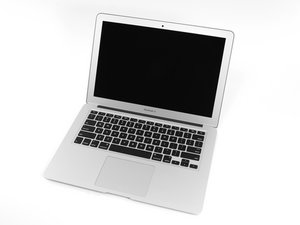
After a water damage in my Macbook air A1466, I lose my backlight

I cleaned all the PCB board with alcohol, I checked the LCD connector´s pins and the fuse (they are ok) and I replaced the driver U9701. I reset the PRAM too. Everything seems ok and I have 22 Volts at the backlight input (PPVOUT_SW_LCDBKLT pins n.3 and 4 ) but the screen doesn´t have light. Please anyone could you give any idea how check what is happening?

Thank in advanced for your help.

Alex

PD: The signal in a external monitor is perfect.

已回答! 显示答案 我也有这个问题

这是一个好问题吗?

得分 0
1条评论

Many thanks Reece!!!

I will check again the parts you sugest me, specially the Lcd Connector ( I think I will replace it, just un case). I hope the problem doesnt come from screen, I saw is not easy to unmount it .

Thanks again for your help and I wish you a Fantantic New Year!!

完成的

添加一条评论

1个答案

已选择的解决方案

Make sure you have a no backlight issue (not no picture). Check the LCD cable for burnt pins or slightly melted plastic (check bottom of cable connector and make sure the gold dots are not dull). Make sure the backlight IC has been properly soldered (check the balls underneath to ensure they look right) and it is the right orientation.

If this is fine, the issue will be with the screen. Heat and remove the silver bezel using a painting knife, be careful when sliding along the bottom part as it is easy to cut the 2 screen ribbons. Check the screen PCB, since the LCD connector and cable on this side can burn or could be liquid damaged. If this is the case, you will either have to solder an LCD connector on the screen PCB (be careful when heating) or replace the LCD panel/assembly. Plug in a test screen if you have one about

这个答案有帮助吗?

得分 2

3条评论:

Hi Reece.

I checked the LVDS connector and everything was Ok. In order to check the IC had been properly soldered and the circuit was ok, I measured the Voltage at the Led return points. The values are between 1.1 and 2.5V( changing the power with the keyboard backlight´s button), do you think with this test, we can say the circuit is OK?.

Is there any way to check the LCD panel ( the backlight´s led) without another panel? can I supply 22 . to PPVOUT Pin(3) and 6,7,8,9,10 to ground to test if the leds bright ?. Thank in advanced for your help and have a nice week star!

Alex

完成的

@alexfefa you don't want to send high voltage to the LED return resistors. I haven't got a schematic in front of me for the 2012 Air, but check what the voltage should be for PPVOUT, since I am not sure if 22V is a bit too low, you will have to double check. If you are definitely getting no backlight (but seeing picture), I would recommend removing the silver bezel around the screen to check the screen PCB for any damage.

完成的

Many thanks Reece for your help !! ;-)

完成的

添加一条评论

添加你的答案

Alex 将永远感激不已
浏览统计数据:

过去 24 小时: 0

过去 7 天: 0

过去 30 天: 4

总计 426