跳转到主内容

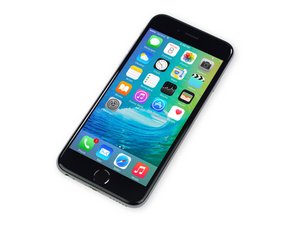
苹果官方于2015年9月25日正式发售iPhone6S A1688/A1633机型。 此机型的修理方式与先前几代差不多, 需要螺丝起子及撬棍工具。 同时也适用GSM or CDMA/16, 64 or 128 GB/ 银色, 金色, 深空灰色, 玫瑰金色等机型。

Why isn't my iPhone turning on?

So basically, my iPhone died yesterday and I put it in the charger. Before it died, it had some issues with the charger going in the whole, it was like it couldn't go in all the way and I had to bend it at a crazy angle for it to charge. Nothing was wrong with the charger, I tried it on other devices and it worked fine. So I kept it there for a few hours and it was still showing the red battery screen, nothing else. That was weird because usually when it dies, as soon as I plug it in, it starts up again. So I looked stuff up, tried holding the power and home button on, tried the hairdryer trick... nothing worked. Now the phone wont even show the red battery screen. It's pitch black. I'm at my wits end. What should I do? I left it to charge overnight and nothing happened.

已回答! 显示答案 我也有这个问题

这是一个好问题吗?

得分 0
1条评论

It could quite honestly be both the battery and charge port! Also adding too much heat to your screen could have caused the LCD to burn out. I would get in the device and start by disconnecting the battery. Sometimes it is is just that simple. If this doesn't work, your only really option would be to start trying new parts. I also know that there is currently a recall on some models of the iPhone 6s. It is worth looking into, that could solve your problem and save you some money.

完成的

添加一条评论

2个答案

已选择的解决方案

If you are confident that your Lightning cable and charge block are functional, then you probably have a damaged Lightning port. Start by inspecting it to see if there is any dust or grit in there. If it looks clean, then

I would try to replace it. You can order it from iFixit. Follow this guide.

Always disconnect the battery first, keep track of your screws and be careful with the flex cables as they tear very easily.

Replace a lightning connector, headphone jack, dual microphones, or cellular antenna compatible with iPhone 6s models A1633, A1688, A1691, and A1700. Part #821-00078-08.图片

产品

iPhone 6s Lightning Connector and Headphone Jack

$19.99

这个答案有帮助吗?

得分 2

3条评论:

Are you sure it's the lightning connector or is it the battery? After a while, the charger gets loose in the hole and is very easy to take out. When I put the hairdryer on it, it just shows the red battery screen and then it turns pitch black.

完成的

Please, no more hair dryer!

You said yourself that the charge cable doesn't go in the hole properly and you have to bend it at a crazy angle. Chances are that your not getting any electricity to your battery. If it isn't dirty, then you need to change it.

You may still have a problem with the battery as the iPhone 6S does have a design defect there. However, start with the logical approach and then eliminate any other variables.

Check this website for a possible battery defect on your phone: https://www.apple.com/support/iphone6s-u...

完成的

Don't forget to discharge the battery, after removing all the connectors

完成的

添加一条评论

Minho is on the right track. I would expect that there's just a lot of "pocket lint" or similar gunk stuffing up the port and the charging cable simply isn't making contact. I'd recommend you take a wooden toothpick or something similar and just see if you can scrape any gunk out of the port.

I work at a repair shop, and almost always this is the only problem when people mention a poor fit with the cable and no-power issues. Its much more rare for the port itself to be damaged.

这个答案有帮助吗?

得分 0

1条评论:

There isnt pocket lint or anything there, I tried scraping it out. Still won't charge.

完成的

添加一条评论

添加你的答案

Erica Karki 将永远感激不已
浏览统计数据:

过去 24 小时: 0

过去 7 天: 1

过去 30 天: 9

总计 200