
跳转到主内容

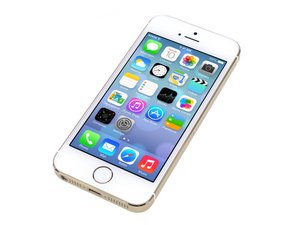
苹果 iPhone 5s 于2013年9月10日公布。该设备的维修与以前的型号相似,需要螺丝刀和撬棒。可使用GSM或CDMA / 16、32或64 GB。颜色有银色、金色和太空灰。

Screen not working properly after replacement

Recently I dropped my phone, and it was really broken and actually even bent a little bit, so I had my friend replace it.

The replacement went well, but it becomes very unresponsive at times... When typing usually it registers the wrong key, screen starts going crazy and tapping everywhere (without me touching it), but it's at random times. Sometimes it works really well and sometimes it just goes ham. For some reason locking the screen and unlocking it fixes it, but not always.

Any solutions? Its driving me crazy when i'm trying to text someone or search up a video on YouTube it just goes crazy as mentioned before.

已回答! 显示答案 我也有这个问题

这是一个好问题吗?

得分 0
添加一条评论

3个答案

已选择的解决方案

You could have:

  • an incorrectly installed replacement screen.
  • a poor quality replacement screen.
  • a damaged logic board due to the bent housing

It's hard for us to say, you will have to troubleshoot this and isolate some variables. Try to find a known-good screen or try it in a working phone. Double check your connections and insure the right screws are in the right place. Always disconnect your battery before removing the screen.

If the logic board is still bent or warped, that may also be the problem. Do some tests and get back to us or have it looked at by a qualified repair shop.

这个答案有帮助吗?

得分 2

1条评论:

Thank you, I will try your possible solutions.

完成的

添加一条评论
最有帮助的答案

This is usually due to either a bad screen or a damaged logic board like Minho said probably in the touch screen circuit related area of the board.

This may sound stupid but try putting a tempered glass screen protector and see if the issue still occurs.

I had a iPhone 5 screen replacement done once and it would stop responding to touch input and do ghost touching. I put a tempered glass screen protector on and it has worked perfectly fine afterwards.

My guess is that the aftermarket LCD has it's digitizer touch screen layer too close to the glass probably due to the glue being used being too thin and the only way to get the touchscreen to work fine would be putting on a tempered glass screen protector to increase the distance between the touch screen layer and your hand touching the screen physically so that it does not have issues of it being too close.

Pretty much only aftermarket LCDs have this issue as they are pretty much copy LCDs. Refurbished ones would rarely have this issue depending on the quality of the refurbisher.

这个答案有帮助吗?

得分 3
添加一条评论

Sometimes these touch failure disapear when you put a screen protector on the front, at least you can try that.

这个答案有帮助吗?

得分 0
添加一条评论

添加你的答案

anderpeenemaa 将永远感激不已
浏览统计数据:

过去 24 小时: 0

过去 7 天: 3

过去 30 天: 11

总计 304