
跳转到主内容
加入维修社区 - 创建账户

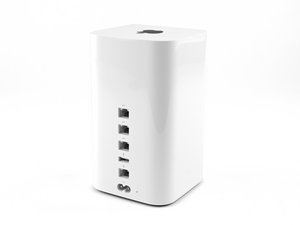
与AirPort Extreme基站一起发布,这款配备硬盘的Time Capsule NAS上提供802.11ac速度。

Time Capsule reset not working

Here is the challenge:

Airport Utility cannot see the base station from any computer, phone nor iPad. I suspect wireless connectivity is not working either (hard to tell because I have several base stations creating my network). To make matters more confusing, I have a computer plugged into the TC. That computer cannot see the TC in Airport Utility, but uses the TC for a wired internet connection that continues to work. I have powered the TC off and back on again, done a soft and a hard reset all to no avail. All LEDs remain green, but I still cannot backup, still cannot use the drive and still cannot see the TC in Airport Utility. What should I do?
回答此问题 我也有这个问题

这是一个好问题吗?

得分 0
添加一条评论

1个答案

I suggest that you start by performing a "factory default" reset on the problematic TC.

You may have to do this a few times to get it to "stick." Once done successfully, the TC will be back to its "out-of-the-box" configuration as a wireless Internet router broadcasting an unsecured Wi-Fi network with a network name of something like: Apple Network NNNNNN

A Mac should now "see" the TC in the OS X/macOS Wi-Fi icon drop-down menu under new base station. Select it and the AirPort Utility should fire up so that you can make any necessary changes to meet your networking goals with the base station.

这个答案有帮助吗?

得分 0
添加一条评论

添加你的答案

stephen 将永远感激不已
浏览统计数据:

过去 24 小时: 2

过去 7 天: 3

过去 30 天: 8

总计 2,076