
跳转到主内容
加入维修社区 - 创建账户

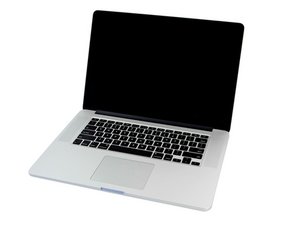
2.0GHz, 2.3GHz, or 2.6GHz quad-core Intel Core i7 processor (Turbo Boost up to 3.8GHz) with 6MB shared L3 cache.

Can't boot from ssd after boot bootcamp

Hi

After using bootcamp to install wondows 10

The wondows installation stratup and whene it finished it rebooted the mac stuck on the black screan i have dealt with it once before so

I have of course tried reseeting pvram..etc nvram

But this time no response + i can't access the startup manager or recovery or hardware test mode

I open the the device and removed the ssd after that i can access startup manager ...etc and i was able to boot from external USB hard drive

So what is the problem why the mac won't boot if the ssd connected

已回答! 显示答案 我也有这个问题

这是一个好问题吗?

得分 0
2条评论

What is the size of your SSD, and how much free space does it have?

Also what is the version of OS-X/MacOS are you running currently and did you make sure it was up to date?

完成的

The ssd 512 gb

For the osx 345 gb free 35gb

Bootcamp 150 gb

I updated it to os x el capitan 10.11.6

完成的

添加一条评论

1个答案

已选择的解决方案

At this point I think you'll need to wipe the drive down and set it up again. One of the risks with running Windows is Trojan's and other nasties that can spill out into the boot sectors. I fear you may have encountered one here.

Go into internet recovery or if you have a OS-X bootable USB drive boot up under it wipe the drive down completely then re-install the Mac OS (get all of the updates installed) then setup BootCamp and then Windows (install all of the Microsoft updates). Don't install any apps yet! As you'll want to install a dual Mac OS-X/Mac OS & Windows antivirus app and make sure its up to date with all of the definition files. Then install your Apps, make sure you've gotten them from the company directly, be careful here with 'Free' apps that are normally paid for as many are infected with spyware.

这个答案有帮助吗?

得分 2

2条评论:

the problem is if the ssd is connected to the mother board the device will never boot only black screen but if removed it the device can boot and i can select from boot manager

完成的

Laser - Is this the original SSD that came with the system? If not that could be your problem. This may not be the correct SSD for your system! If you wipe the SSD when its externally connected (nothing on it) and put it back internally are you able to get internet recovery to work?

You may need this to hold your SSD: OWC Envoy Pro Portable, Bus-Powered USB 3.0 Enclosure For Apple Flash SSDs (June 2013-Current Mac Models) so you can properly wipe the drive.

完成的

添加一条评论

添加你的答案

yaser alissa 将永远感激不已
浏览统计数据:

过去 24 小时: 0

过去 7 天: 1

过去 30 天: 2

总计 681