
跳转到主内容
加入维修社区 - 创建账户

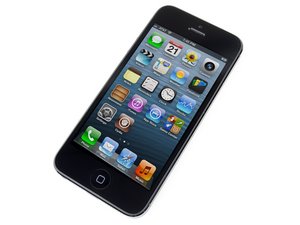
Apple发布于2012年9月12日的第六代iPhone,维修时与前代型号一样,需要螺丝刀和撬棒。iPhone 5以多种版本销售:通讯制式有GSM/CDMA;存储容量有16/32/64G;颜色有黑/白。

iPhone 5 doesn't accept charge

I have an iPhone 5. The battery was completely dead. I tried to charge the iPhone, as usual - didn't help, so I kickstarted it. I plugged it back into the iPhone and after pressing the power button the black screen with the battery and the lightning cable appeared. I plugged the charger in but nothing happened. The battery is Ok - I checked it with a multimeter. The charging port also seems to be Ok because I measured the voltage in the battery connector on the board with a multimeter and it gives 0.7 volts when the battery is unplugged and phone is connected to charger (is this ok btw?). I've noticed that when the charger is plugged in the phone acts as if the power button was pressed - keeps turning itself on and off and on and off. Also, when I leave the battery plugged in the phone completely drains it down to 0 volts.

What could be the issue?

已回答! 显示答案 我也有这个问题

这是一个好问题吗?

得分 0
添加一条评论

2个答案

已选择的解决方案

Your battery will be around 3.8V and the charge port will be 5V if connected to a USB port or you Apple MFi-certified charging brick. If you are reading 0.7V, you are either not probing the right place or have a defective charge port. Check you charging cable, brick to see what voltages you get.

At this point, your battery is discharged and will read a much lower voltage. Ideally, if you can replace it with a known-good battery or try and charge it in another device.

If you have eliminated the battery and the charge port, then you likely have a charging circuit problem on you logic board, specifically, your Tristar IC (U2) is probably bad. No-charge or fake-charging are classic symptoms and can occur if you drop the phone or use low quality charging bricks.

If the Tristar IC is the problem, this will not be a DIY repair unless you have experience doing micro-soldering.

这个答案有帮助吗?

得分 2

1条评论:

Thanks for your answer! The charging cable and brick are all right - I tested them on a different phone and everything worked perfectly.

The 0.7 volts I'm getting are from the motherboard, on the positive and negative points when the battery is not connected and the phone is plugged in.

I don't have a spare battery.

完成的

添加一条评论

There may also be debris stuck inside the charging port. If when you plug in the charging cable and the piece sticks out slightly, that may be your problem. Very gently take something thin, like a paperclip, and move it left and right in the port. Keep the paperclip close to the top (the screen side of the phone) to avoid damaging any of the connectors, and see if you can pull out some dust or lint from being in your pocket so long. You'd be surprised at how common this situation is.

这个答案有帮助吗?

得分 1

1条评论:

Thanks for your answer. I'm certain that there is no debris in the charging port.

完成的

添加一条评论

添加你的答案

skvarlamatus 将永远感激不已
浏览统计数据:

过去 24 小时: 1

过去 7 天: 3

过去 30 天: 13

总计 344