
No back light?
Hi PLEASE HELP.....
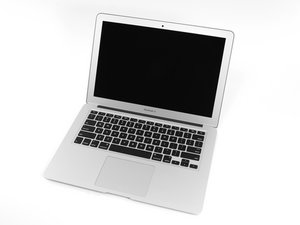
I Have a MacBook air 2012 all working but with no back light ?
I have checked the fuse that is ok , What other parts can I check to see if they are causing the problem ?


声誉积分: 34.9千
 8
8
 54
54
 62
62
LCD connector looks good, check the LCD cable to make sure no pins are burnt. Try a test screen (in case the damage is to the PCB attached to the screen). If not, likely the feedback ball under the backlight chip is blown, or the trace from the feedback on the chip to the front of the board is broken.
If a test screen is still no backlight, remove the backlight IC (U9701) and measure continuity pin 1 to pin 2 of D9701 on the other side of the board. If you get continuity, make sure you get the backlight enable signal to the chip, and replace the backlight IC and it should work as long as none of the components around the IC are bad.
If you aren't getting continuity, you will need to run a wire from under the backlight chip feedback ball to the other side of the board. It can be tricky, best thing to do is heat the chip and carefully push the wire into the feedback ball without knocking it.
Difficult to say for sure without looking at this of course, but I have had to replace many backlight ICs and run traces, so I would say this is the issue if the fuse, screen and LCD connector are ok.
这个答案有帮助吗?

声誉积分: 3.4千
17
15
9
Have you cleaned the board yet?
How to Correctly clean corrosion from a MacBook Pro logic board.
No backlight could be any of the following,
bad lcd
bad lcd cable
bad lcd socket
bad lcd backlight circuit
bad lcd backlight driver aka lp8550
You should start with cleaning the board correctly, after that take close ups of the lcd socket and the lp8550.
这个答案有帮助吗?

声誉积分: 37
4
You should look at this post, the guy who answered the question might know what to do Why is the backlight not working?
这个答案有帮助吗?
Please where is the fuse
@Sanusi Feyisayo - Click on the Blue URL link here to get to OT's answer which points to the fuse. You'll need good micro-soldering skills to replace it.
Thanks for helping
过去 24 小时: 0
过去 7 天: 1
过去 30 天: 12
总计 1,288

2条评论
Water damaged I assume? You would have to check other components connected to the backlight circuit.
Louis Rossman's YouTube channel has guides on how to trouble shoot and fix these issues.
由 Ben 完成的
Hi, Yes water damaged . I Can not find any videos that shows what parts to test and how ?
can anyone please show me what parts to test ?
由 EON 完成的